In the vast landscape of the web, it’s not uncommon for the same content to exist at multiple URLs. This creates a dilemma for search engines: which page should they index and rank? A canonical issue arises when you have duplicate or very similar content accessible via multiple URLs, and you haven’t specified to search engines which one is the preferred version. This can lead to a host of SEO problems, including split link equity, wasted crawl budget, and confusing signals that dilute your ranking potential.
Understanding and resolving canonicalization issues is a fundamental aspect of technical SEO. By telling search engines which URL is the ‘one true source’ of your content, you can consolidate your ranking signals and ensure a better user experience. For a deeper dive into how content is indexed, see our article on indexability distribution.
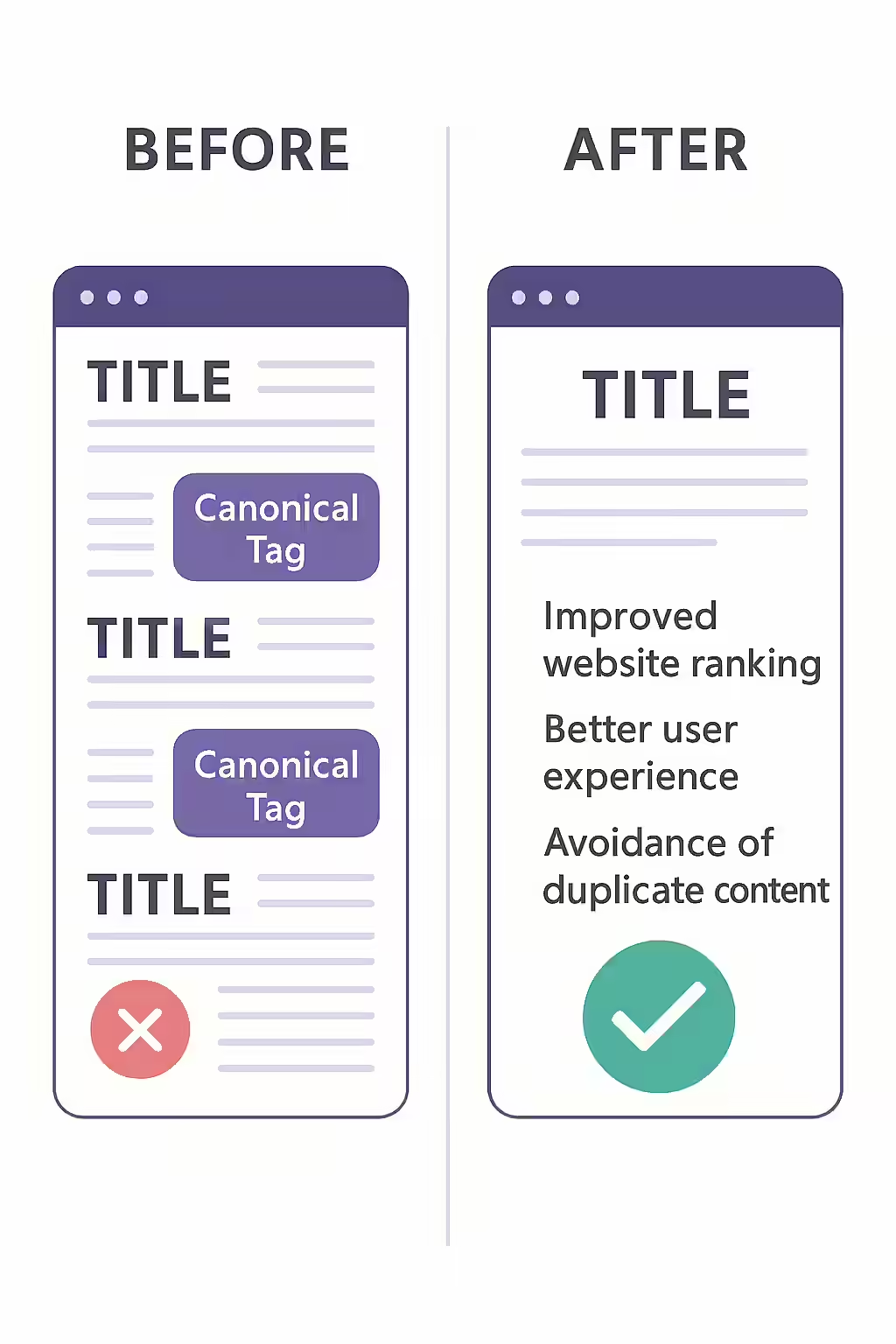
Common Causes of Duplicate Content
Duplicate content can be created unintentionally in many ways. Identifying the cause is the first step to implementing the right fix.
- Protocol and Subdomain Variations: The same page being accessible via
http://andhttps://, orwww.and non-www.versions. - URL Parameters: Using URL parameters for tracking campaigns, sorting, or filtering can create many versions of the same page (e.g.,
/shirts?color=blueand/shirts?color=red). - Printer-Friendly Pages: Creating separate, printer-friendly versions of articles or pages.
- Content Syndication: When your content is republished on other websites, it can create duplicate versions across the web.
- Staging Environments: If a staging or development version of your site is accidentally indexed by search engines.
Your Canonicalization Toolkit
Resolving canonical issues is all about sending clear, consistent signals to search engines. Here are the primary tools at your disposal, as detailed in this guide from Search Engine Land.
- The Canonical Tag (
rel="canonical"): This is the most common solution. It’s a line of code in the<head>of a webpage that tells search engines where the master copy of the content lives.<link rel="canonical" href="https://www.example.com/preferred-page/" /> - 301 Redirects: For pages that are exact duplicates (e.g., an old page that has moved), a 301 redirect is the best solution. This permanently redirects both users and search engines to the canonical URL, consolidating all ranking signals.
- Internal Linking: Be consistent with your internal linking. Always link to the canonical URL to avoid sending mixed signals to search engines.
- Google Search Console: Use the URL Inspection Tool to see which URL Google has chosen as the canonical for a specific page. This can help you diagnose why Google might be ignoring your specified canonical.
Regularly auditing your site for canonical issues is a crucial part of any technical SEO strategy. Tools like Creeper can help you identify duplicate content and ensure that your canonical tags are implemented correctly. For a comprehensive guide to canonicalization, check out this article from Moz.
Frequently Asked Questions
What is a canonical tag?
A canonical tag (rel=”canonical”) is a snippet of HTML code that defines the main version for duplicate, near-duplicate and similar pages. In other words, if you have the same or similar content available under different URLs, you can use canonical tags to specify which version is the main one and should be indexed.
What is the difference between a 301 redirect and a canonical tag?
A 301 redirect is a command that sends both users and search engines from one URL to another, and the original URL is no longer accessible. A canonical tag is a hint for search engines only; users can still access both URLs, but the tag tells search engines to consolidate all ranking signals to the canonical URL. Use a 301 for true duplicates (e.g., an old page that has moved), and a canonical tag for similar pages with minor differences (e.g., product pages with different color options).
Why are canonical issues bad for SEO?
Canonical issues can confuse search engines, leading to split link equity and potential duplicate content penalties. By specifying a canonical URL, you consolidate your ranking signals and ensure that the correct page is being indexed.
How do I fix canonical issues?
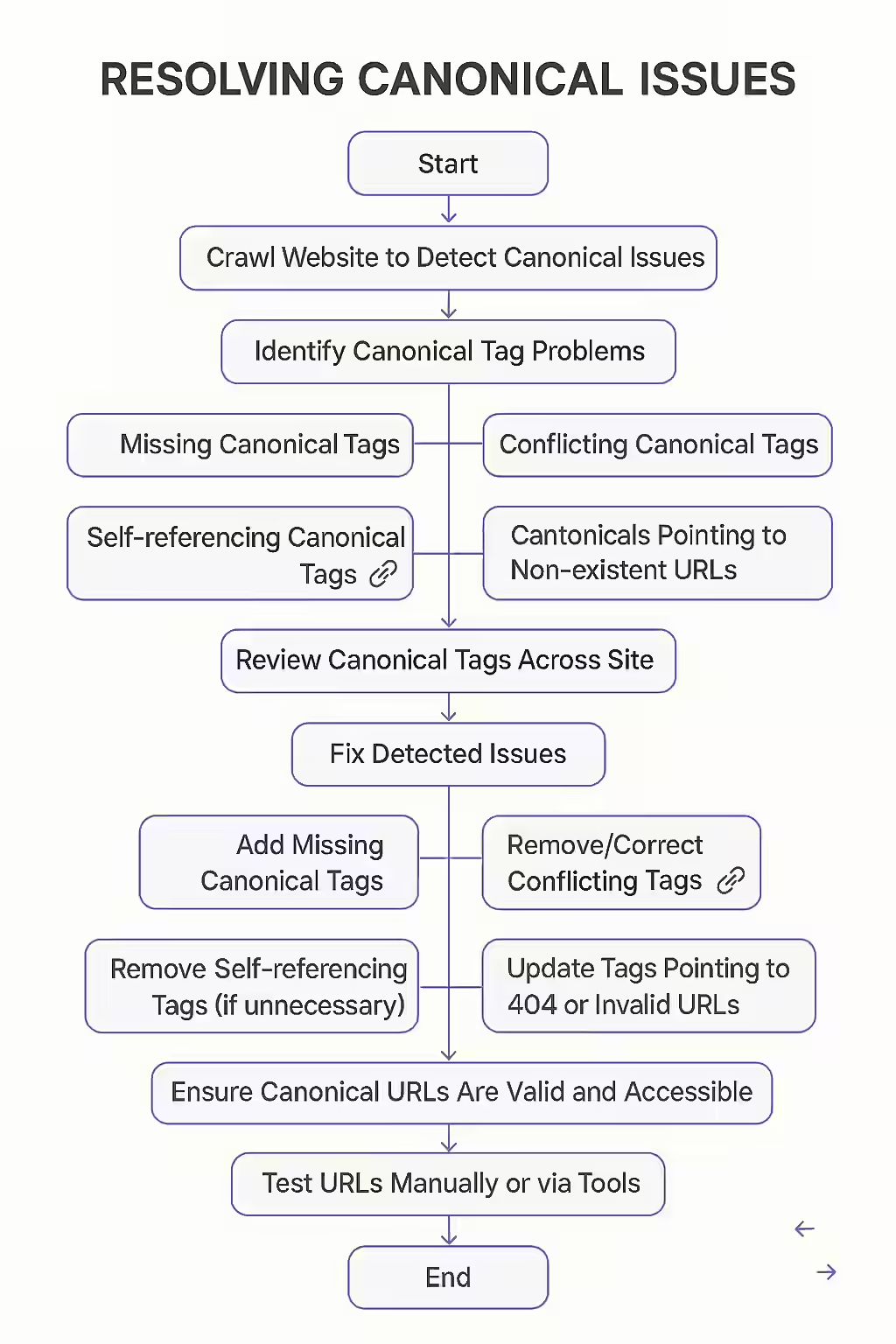
The most common way to fix canonical issues is to add a canonical tag to the <head> section of the duplicate pages, pointing to the canonical URL. You can also use 301 redirects to consolidate duplicate content. Auditing your site with a tool like Creeper is the first step to finding them.
Tired of your content competing with itself? Use Creeper to identify and fix your canonical issues and consolidate your SEO power.