If you’ve forgotten your password, you can reset your password by:
- Visit: https://app.creeperseoaudit.com/reset/
- Enter Uername / E-mail
- Verify reCaptcha
- Click ‘Reset’
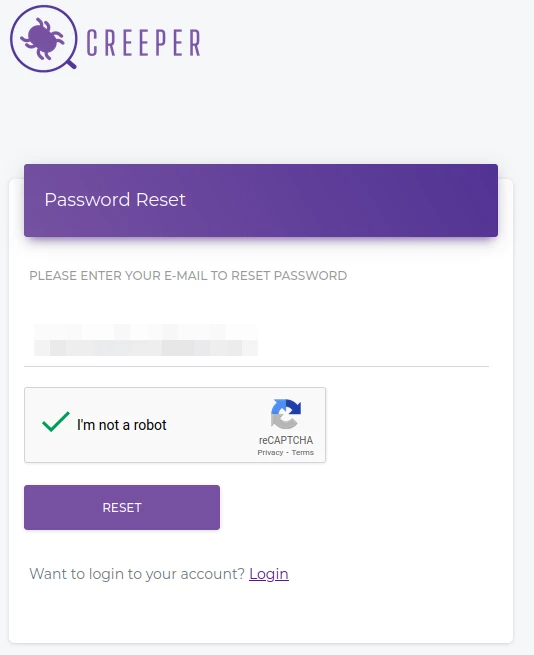
Upon successful submission, another form enquiring about the password reset code will appear on-screen. Await an email containing your ‘Password Reset Code.’
If you encounter issues receiving the email, please contact our support through the provided contact form or by emailing us at: [email protected].
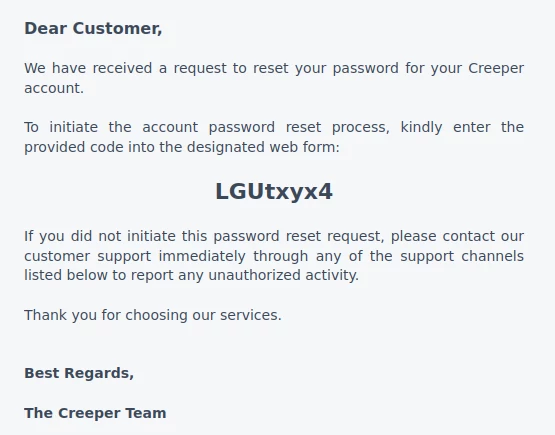
Enter ‘Password Reset Code’ and Click ‘Reset’ again.
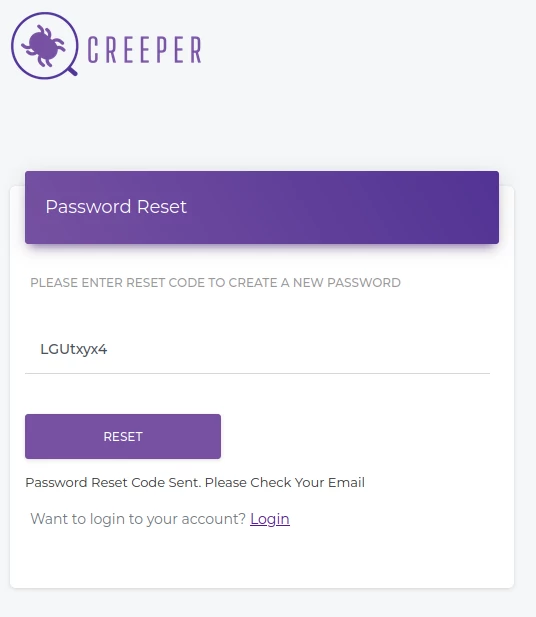
Upon successful submission, a confirmation message will appear on the screen. Await an email containing your ‘Username/Email’ and new ‘Password.
Use the new password to log into your Creeper account.
For any inquiries, don’t hesitate to reach out via email or contact form. We’re here to help.