An internal 4xx error occurs when a link on your website points to a resource that the server cannot provide, usually because the link is broken or the page doesn’t exist. These are ‘client-side’ errors, and when they are internal, they represent self-inflicted wounds. Unlike server errors, which point to hosting issues, internal 4xx errors are your responsibility to fix. They represent dead ends for both users and search engine crawlers, creating a frustrating experience and actively harming your SEO performance by wasting valuable crawl budget.
Think of your website’s internal links as its circulatory system. A 4xx error is a blockage, preventing the flow of users and ‘link equity’ throughout your site. Search engines have a limited ‘crawl budget’ for your site; every time they hit a 404 page from an internal link, that budget is wasted on a dead end instead of being used to discover and index your valuable content. You can learn more about the different types of server responses in our complete guide to HTTP status codes.
Why Internal 4xx Errors Are SEO Poison
Ignoring internal 4xx errors is a critical mistake. They send negative signals to search engines, suggesting your site is poorly maintained. This can lead to lower rankings and reduced organic traffic. Specifically, these errors:
- Waste Crawl Budget: Search engine bots stop crawling a path when they hit a 404, meaning pages linked from the broken page might not get indexed.
- Dilute Link Equity: Any authority or PageRank flowing to a broken URL is lost. This weakens your site’s overall SEO power.
- Harm User Experience: Hitting a “Not Found” page is frustrating for users, leading to higher bounce rates and lower engagement—key metrics for modern search algorithms.
Actionable Guide to Common 4xx Client Errors
While there are many 4xx status codes, a few are critical for SEOs to find and fix. The table below provides actionable advice for the most common ones. For a fully comprehensive list, the MDN Web Docs are an excellent technical resource.
| Status Code | Meaning | Common Causes and How to Fix |
|---|---|---|
| 403 Forbidden | You do not have permission to access this resource. | Often caused by incorrect file/folder permissions on the server or IP address blocks. Fix: Check the .htaccess file for ‘deny’ rules. Ensure file permissions are set correctly (e.g., 644 for files, 755 for folders). |
| 404 Not Found | The server cannot find the requested resource. | The most common error. Caused by typos in the URL, deleted pages, or broken internal links. Fix: Correct the link if it’s a typo. If the page was intentionally deleted, 301 redirect the broken URL to the most relevant live page. |
| 410 Gone | The resource is permanently gone and will not return. | An intentional signal that a page has been removed. It’s more definitive than a 404. Fix: Ensure all internal links pointing to a 410 page are removed. This is a valid response for a deliberately deleted page with no replacement. |
| 429 Too Many Requests | The user has sent too many requests in a given amount of time. | This is a rate-limiting measure. While often external (e.g., from bots), internal scripts could cause this. Fix: If caused by your own tools, adjust their crawl rate. If external, you may need to block malicious bots. |
| 451 Unavailable For Legal Reasons | The content is blocked due to a legal demand. | This indicates censorship or a court order. Fix: There is no technical fix. The purpose is to transparently state that the content is legally blocked. Ensure no internal links point to such resources unless intentional. |
How to Find and Fix Internal 4xx Errors
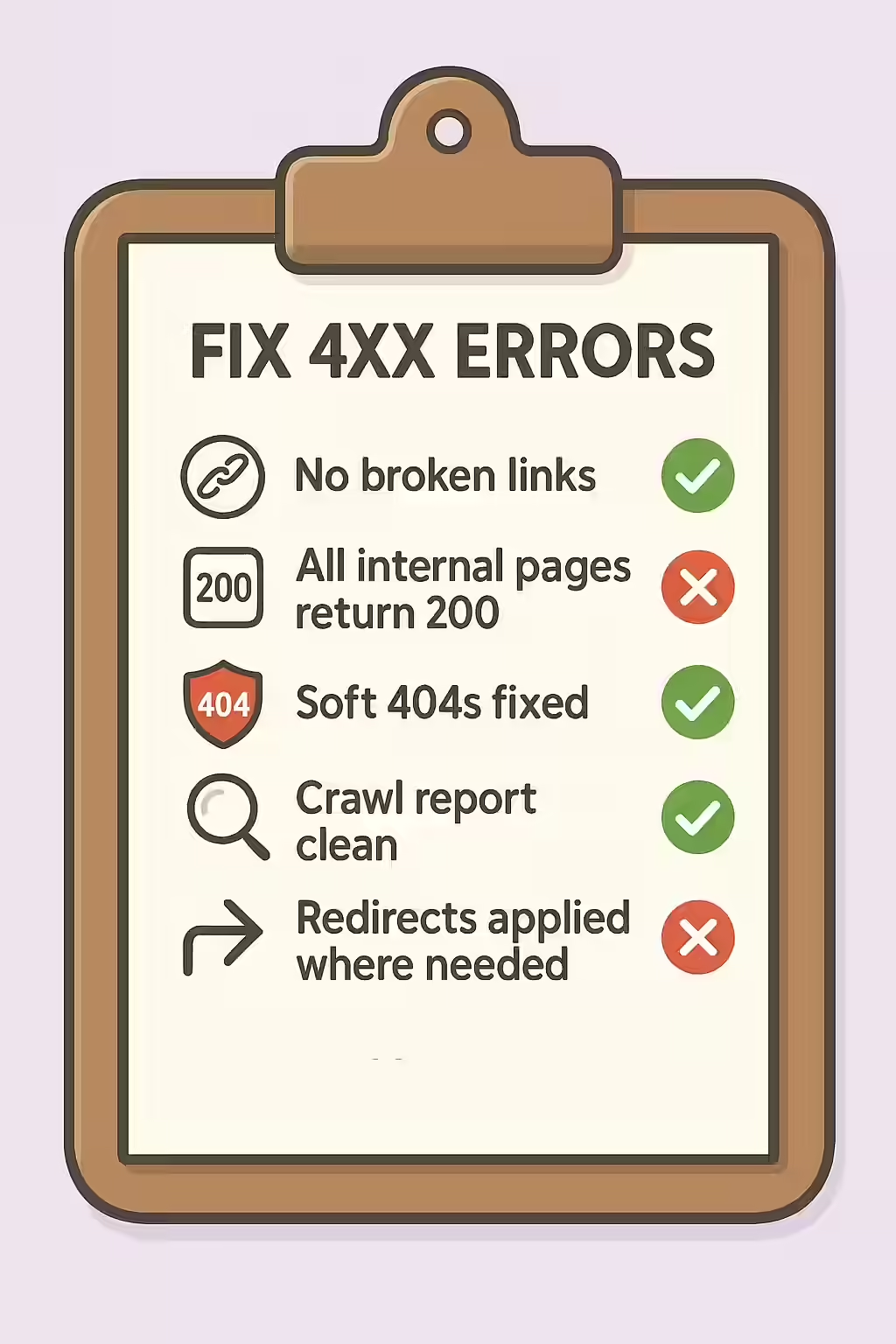
Fixing internal client errors is a straightforward but vital task. Here’s a systematic approach:
- Crawl Your Website: Use an SEO audit tool like Creeper to perform a full crawl. This is the most effective way to find every single broken internal link on your site.
- Use Google Search Console: Check the “Page Indexing” report for pages that Google failed to crawl due to a 4xx error. This free tool provides data directly from the source. For more details, review Google’s documentation on network and HTTP errors.
- Analyze and Prioritize: Your crawl report will list all URLs that returned a 4xx status code and show you which pages are linking to them. Start with the 404 errors, as they are often the most numerous.
- Fix the Links: For each broken link, decide whether to correct a typo in the URL or, if the page is gone, implement a 301 redirect to the most relevant live page. Remove links to pages that are correctly marked as 410.
Frequently Asked Questions
What is the difference between a 4xx and 5xx error?
A 4xx error is a ‘client-side’ error, meaning the issue is with the request itself (e.g., a broken link, no permissions). A 5xx error is a ‘server-side’ error, indicating a problem with the server’s ability to fulfill a valid request. In short, a 4xx error suggests the fault is with your site’s links, while a 5xx error points to a problem with your server.
What’s the difference between a 404 and a 410 error?
A 404 ‘Not Found’ is a generic message that the server couldn’t find the requested resource. A 410 ‘Gone’ is a more intentional and permanent signal. It tells clients and search engines that the page was deliberately removed and will not be coming back. For SEO, a 410 can lead to the URL being de-indexed faster than a 404.
Is a 404 ‘Not Found’ error always bad for SEO?
A 404 error on a page that should exist is bad because it stops users and crawlers. However, if a page is truly gone and has no relevant replacement, serving a 404 or 410 is the correct action. The main SEO problem comes from internal links pointing to 404 pages, which wastes crawl budget.
How can I quickly find all 4xx errors on my site?
The most efficient way is to use a web crawler like Creeper. It will systematically crawl every link on your site and provide a comprehensive report of all internal links that lead to a 4xx error page. You can also use the ‘Page Indexing’ report in Google Search Console to find pages that Google couldn’t crawl due to 4xx errors.
Ready to fix your broken links? Start your Creeper audit today and see how you can improve your website’s response codes.