A non-indexable URL is any page on your website that cannot be included in a search engine’s index. While this is sometimes intentional, an incorrect non-indexable status on a valuable page can make it completely invisible to organic search, effectively cutting it off from all potential traffic. Understanding the different reasons why a page might be non-indexable is a fundamental skill for diagnosing and fixing critical SEO issues.
Think of your website as a collection of documents you’re submitting to a library. A non-indexable status is like putting a “Do Not File” sticker on a document. This is useful for drafts or administrative notes, but if that sticker ends up on your most important chapter, it will never make it to the public shelves. For a broader look at this topic, see our main guide on indexability.
Key Reasons for a Non-Indexable Status
There are several technical reasons why a page might be considered non-indexable by search engines. Each one is a different type of signal that needs to be investigated. For a deep dive, Google’s documentation on blocking indexing is an essential read.
- Noindex Directive: The most direct signal. A `noindex` tag in the HTML or HTTP header explicitly tells search engines not to include the page in their index.
- Non-Indexable Canonical: The page has a canonical tag pointing to a different URL. This tells search engines that this page is a duplicate and that the other URL is the one that should be indexed.
- Blocked by robots.txt: The page is disallowed in your site’s robots.txt file, which prevents search engines from crawling it.
- 4xx or 5xx HTTP Status: The page returns an error code (like a 404 Not Found) or is part of a redirect chain, meaning it is not a live, indexable page.
A Step-by-Step Guide to Diagnosing and Fixing the Issue
The goal is to ensure that every valuable page on your site is indexable. For more on this, check out this guide to robots.txt from Moz.
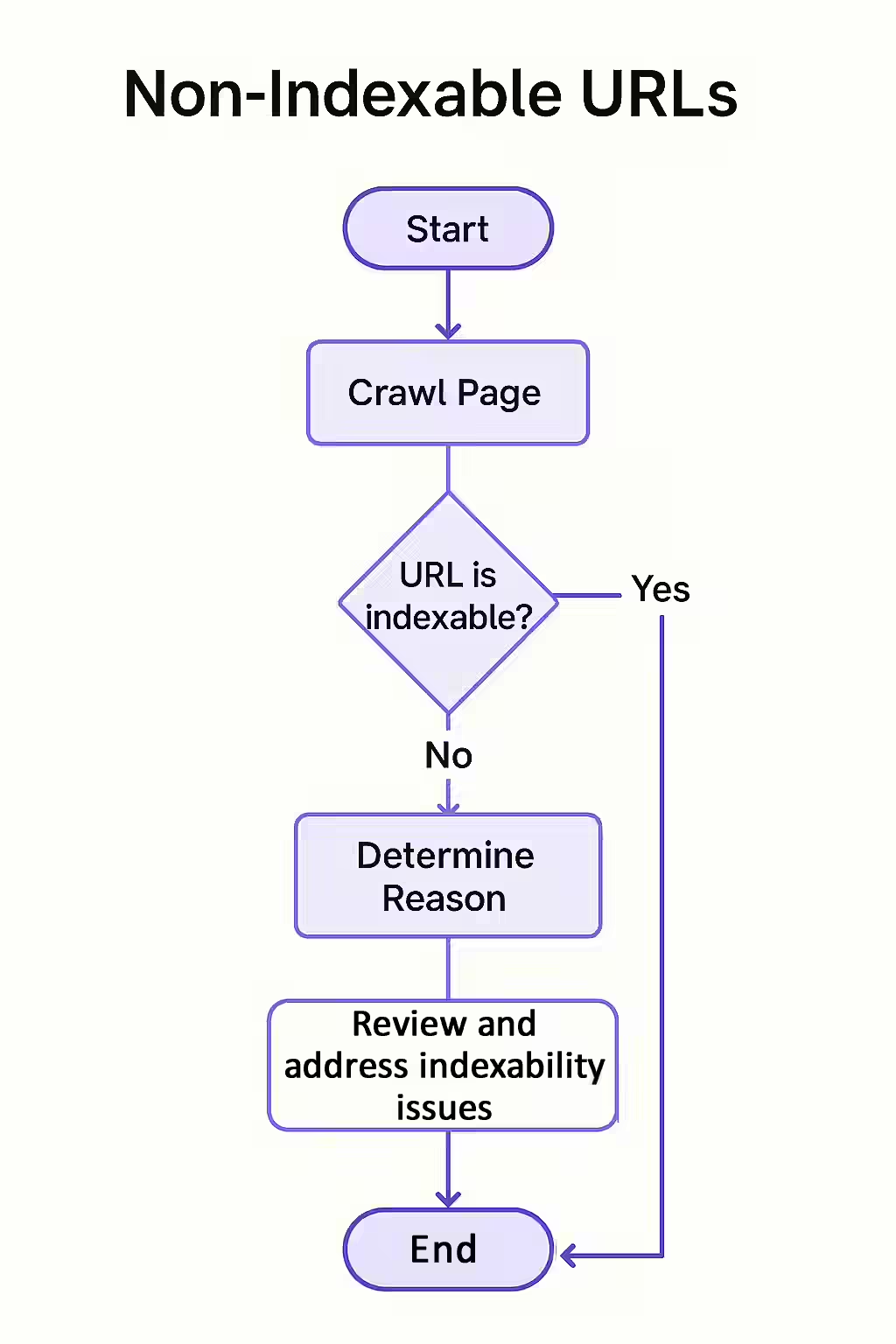
- Crawl Your Site: Use an SEO audit tool like Creeper to perform a full crawl. The tool will identify the indexability status of every page.
- Filter for Non-Indexable Pages: In your crawl report, filter for all pages that are marked as non-indexable.
- Identify the Reason: The report will specify the reason for the non-indexable status (e.g., ‘noindex tag’, ‘canonicalized to another URL’).
- Take Corrective Action: Based on the reason, take the appropriate action. This could mean removing a `noindex` tag, correcting a canonical URL, or updating your robots.txt file.
The SEO Power of a Well-Structured Website
A well-structured website provides clear and consistent signals to search engines. By auditing your site for non-indexability issues, you can ensure that all of your important content is visible and eligible to rank in search results. This is a key part of a successful on-page SEO strategy.
Frequently Asked Questions
What is the most common reason for a page to be non-indexable?
The most common reason is the presence of a `noindex` directive, either in a robots meta tag in the HTML “ or in the X-Robots-Tag of the HTTP header. This is a direct instruction to search engines not to include the page in their index.
Can a page be non-indexable even if it doesn’t have a ‘noindex’ tag?
Yes. A page can be considered non-indexable if it has a canonical tag pointing to a different URL, if it’s blocked by robots.txt, or if it returns a non-200 HTTP status code like a 404 or a redirect. These all prevent the page from being the version that appears in search results.
How can I check the indexability status of a specific URL?
The best tool for this is the URL Inspection tool in Google Search Console. It provides a definitive answer on whether Google considers a page to be indexable and will report on any issues (like ‘noindex’ tags or canonical conflicts) that are preventing it from being indexed.
Is your content invisible? Start your Creeper audit today to find and fix all non-indexability issues.