Free Website SEO Audit Tool
Creeper free SEO audit tool is packed with 300+ SEO fixes and detailed reports to help your website perform better in search engines.
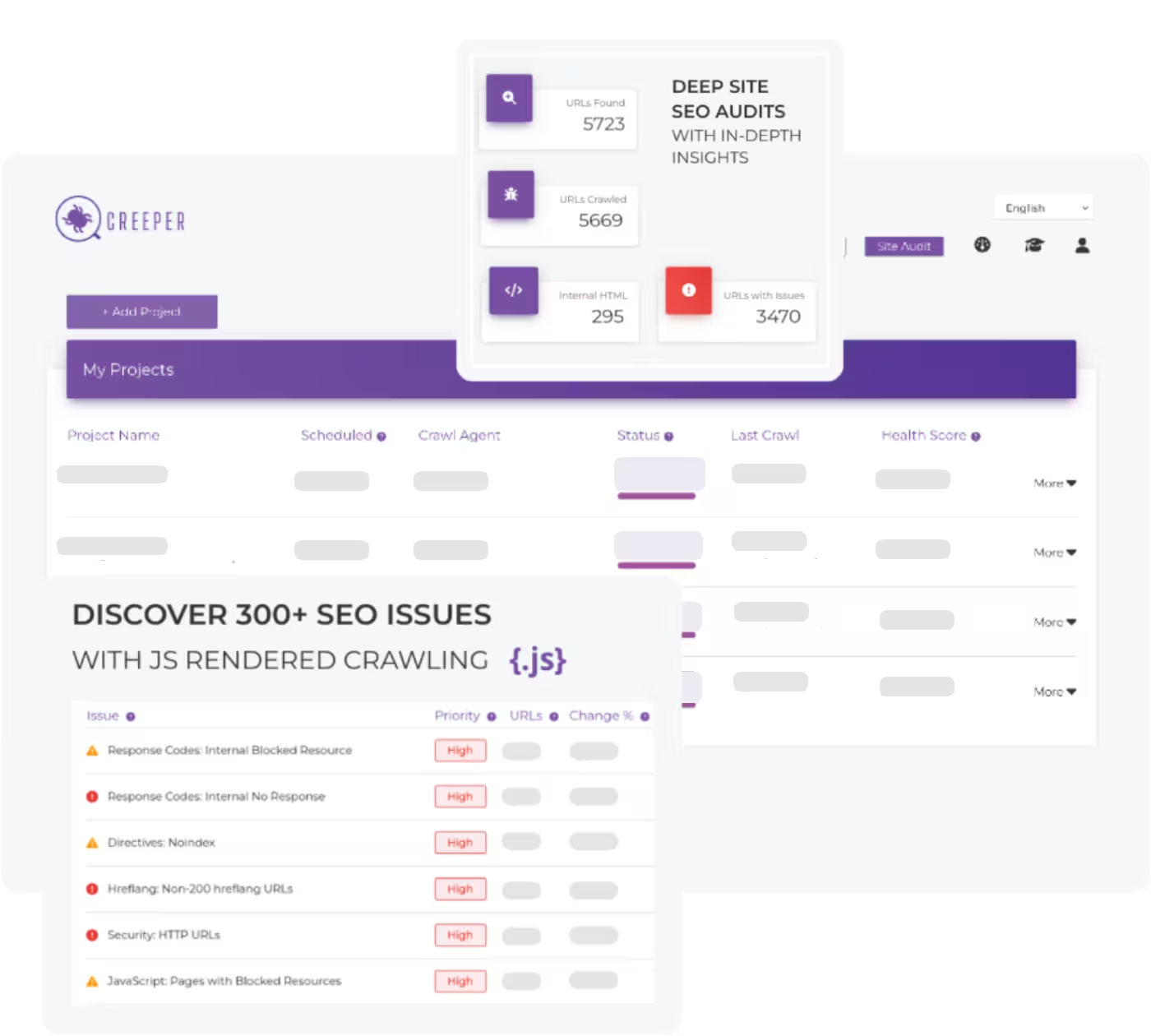
Creeper free SEO audit tool is packed with 300+ SEO fixes and detailed reports to help your website perform better in search engines.
Creeper SEO audit examines all pages on your website to ensure that everything is working well. It assesses and identifies 300+ SEO issues ranging from the structure of your on-page content to indexability and crawlability, as well as whether Google crawlers can even see your website. Offers you suggestions on how to fix them. Our site SEO health scoring algorithm shows you where your site sits in terms of SEO performance.
In short, it uncovers the technical SEO issues you might not notice, but that can seriously impact your rankings.
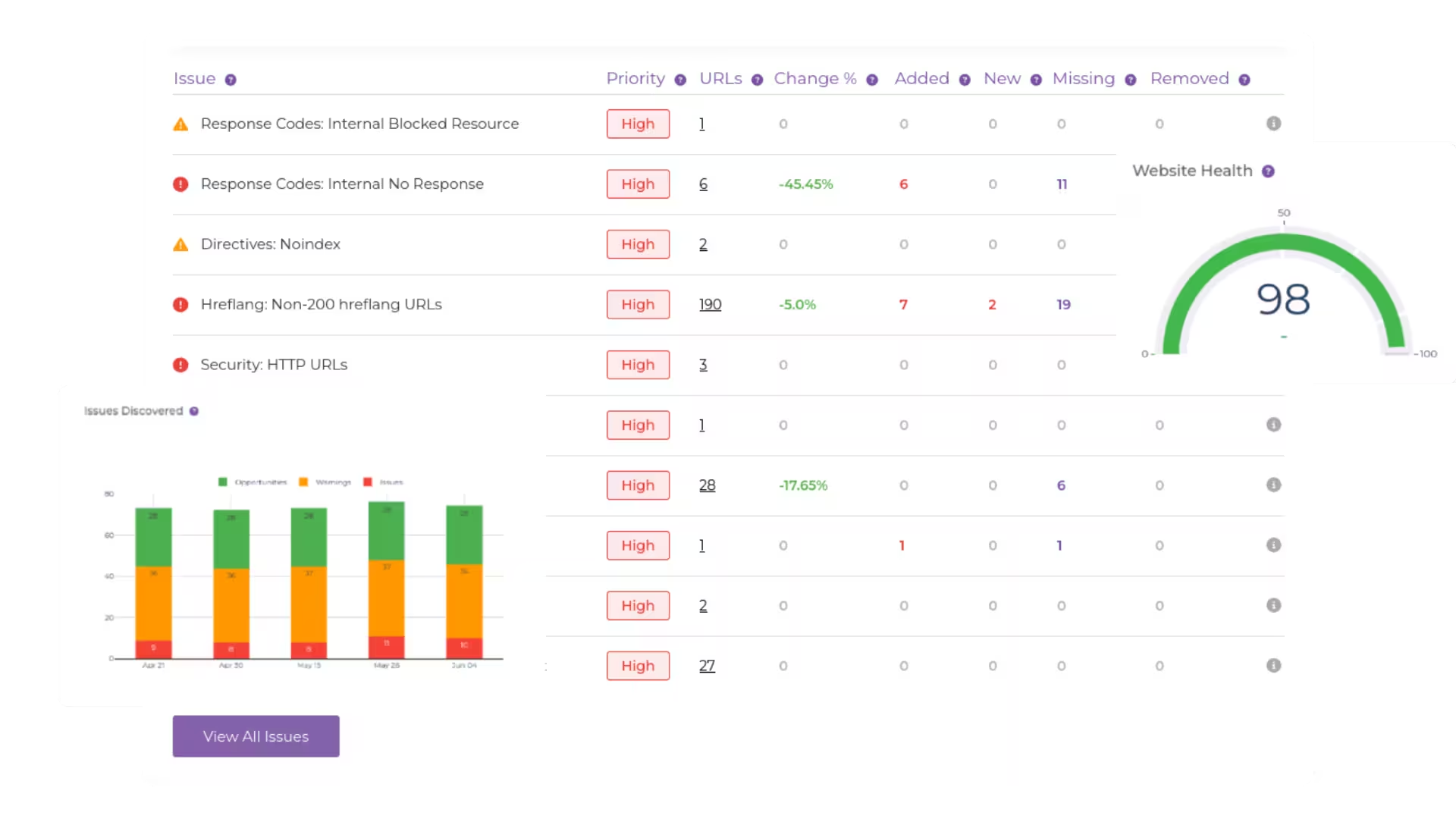
Identify over 300 potential SEO issues to ensure your website is optimized from top to bottom.
Access in-depth reports that break down every aspect of your site’s SEO performance, giving you the clarity to take action.
Explore 40+ dimensions of internal and external links with raw SEO audit data.
Whether you’re an expert or just starting out, our tool is intuitive and powerful enough to meet you where you are.
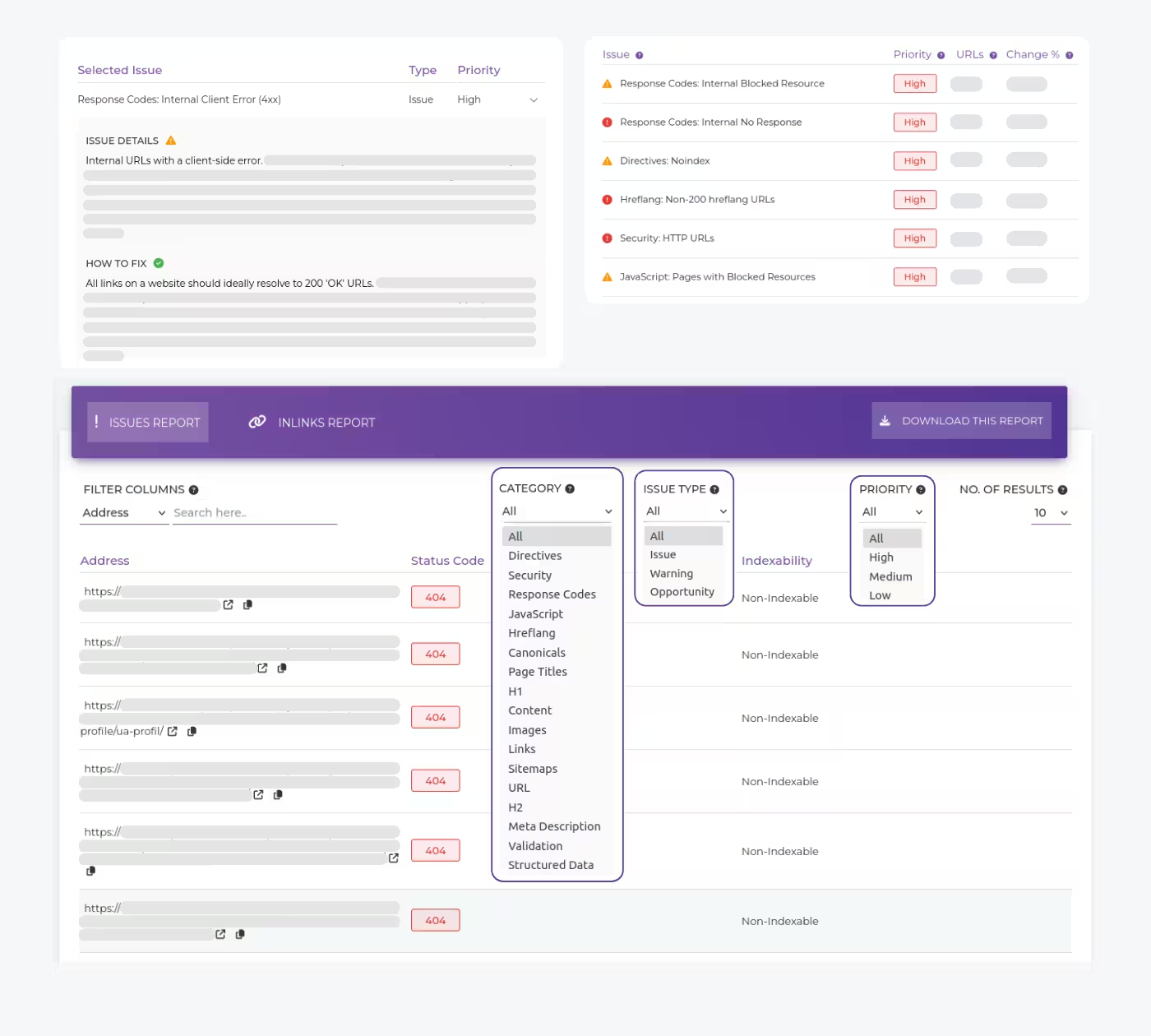
This feature lets you pinpoint the exact pages where your site has broken links, content duplication, redirects, indexability or crawlability issues.
It can uncover 300+ SEO issues which are grouped into types, priorities and categories, helping you filter and fix those errors that matter the most.
And the best part? Provides clear instructions on how to fix them. You can export this data for easy access, so you're not scrolling endlessly trying to find that one stubborn error.
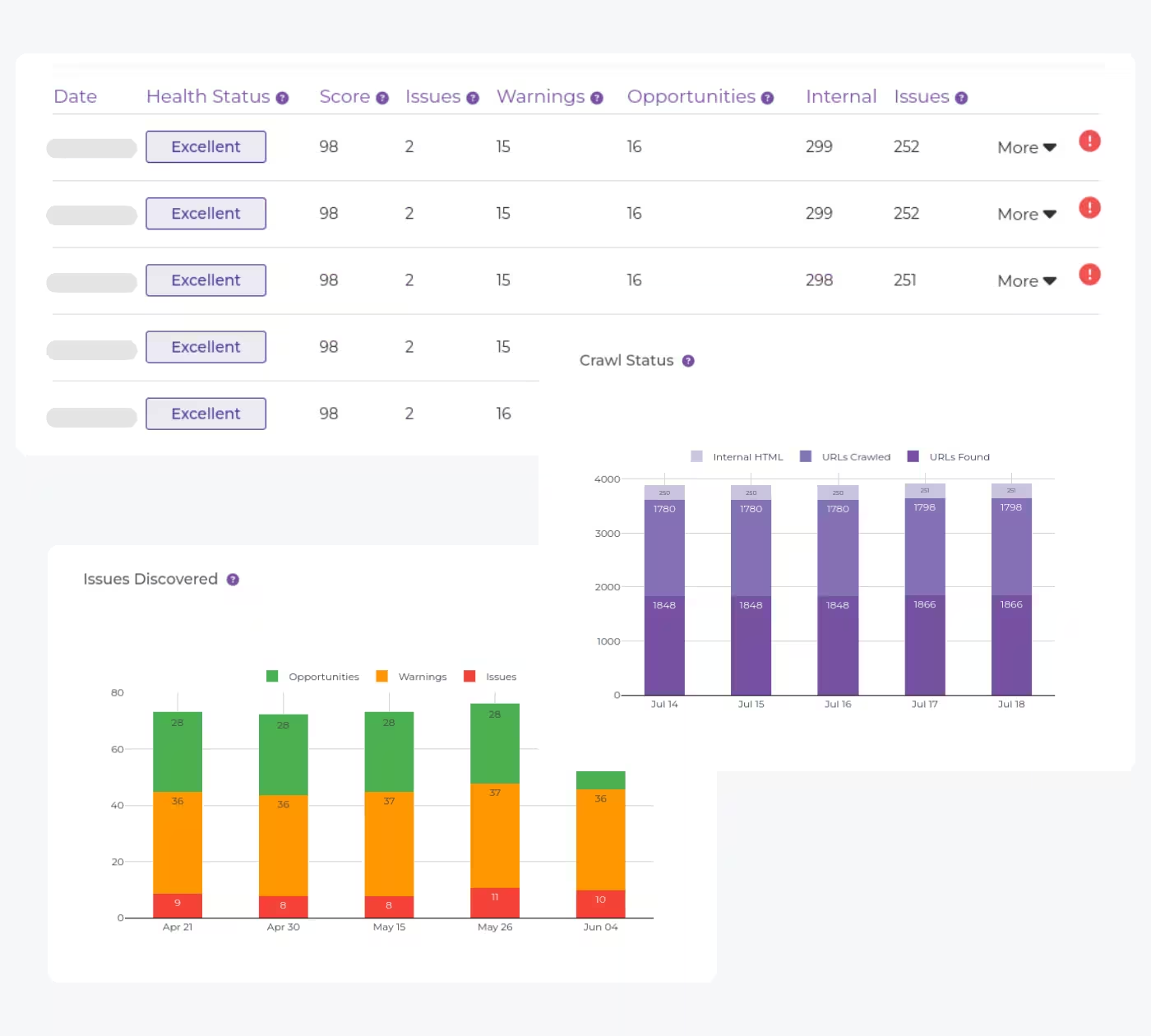
Nothing feels better than seeing progress.
Our Crawl Comparison tool lets you track the changes you've made over time, comparing audit results from different dates.
If you've ever wanted to pat yourself on the back for fixing issues, now's your chance.
The Links Explorer gives you access to raw SEO audit data with a detailed breakdown of your internal and external links across 40+ dimensions.
Want to know which links are hurting your site? Done. Need to see which ones are boosting your authority? We've got that, too.
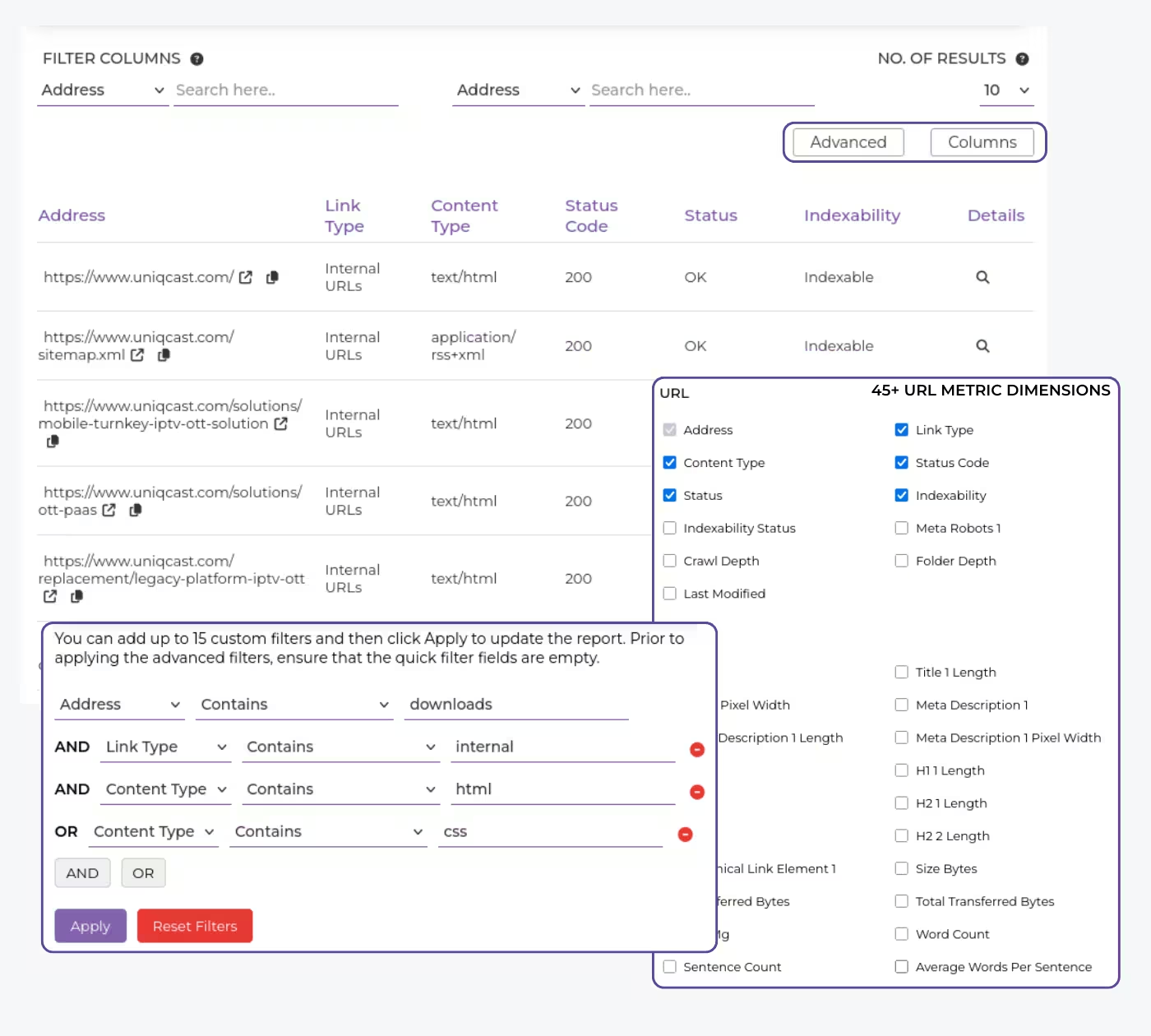
We provide tech-savvy SEO's with advanced data filtering options at the push of a button to conduct in-depth technical and on-page SEO analyses of websites.
To examine SEO audit data and export custom reports, you can utilize existing filters or create your own custom filters.
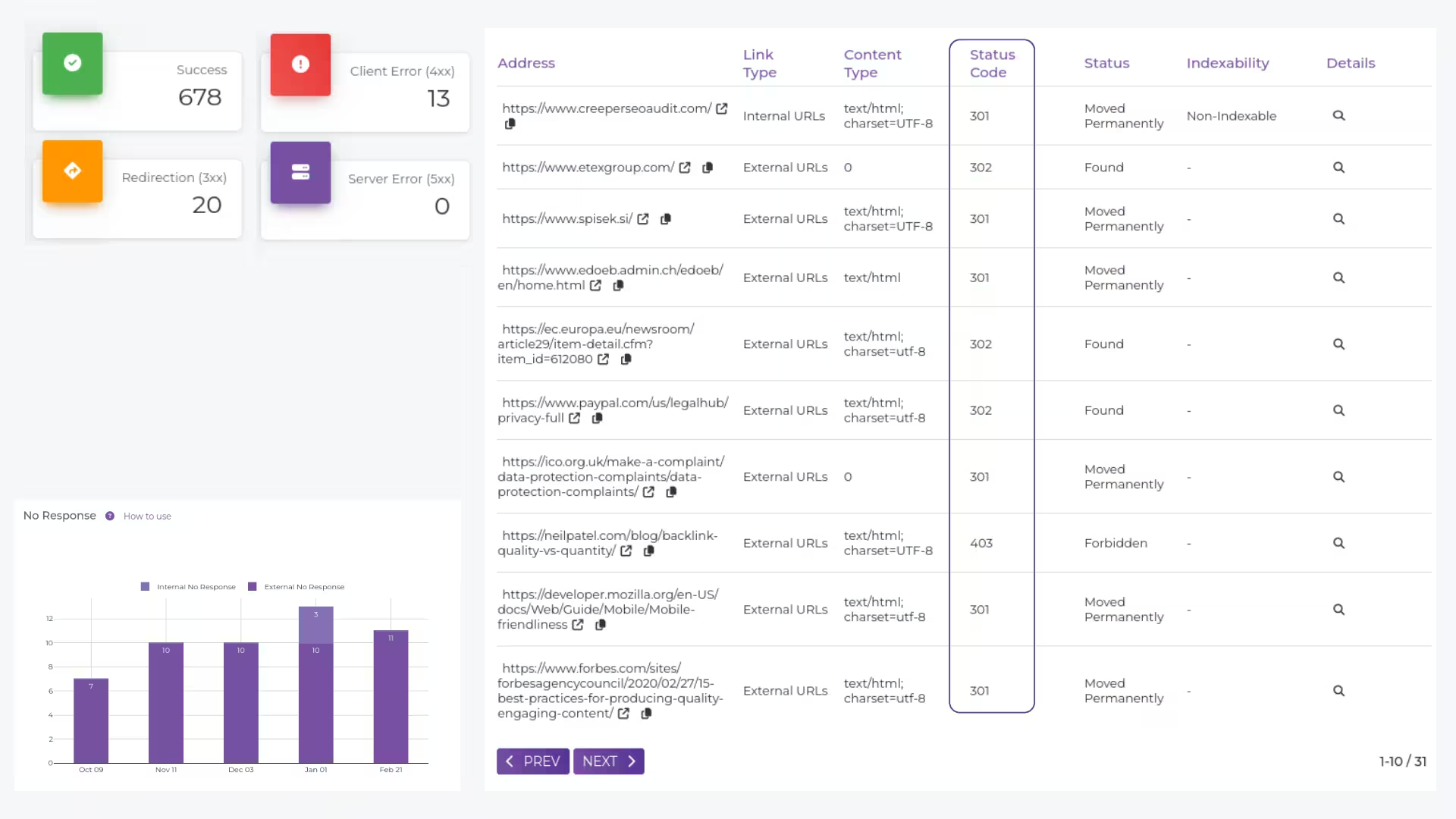
It finds those nasty 404s and broken redirects that could be frustrating your visitors and killing your rankings.
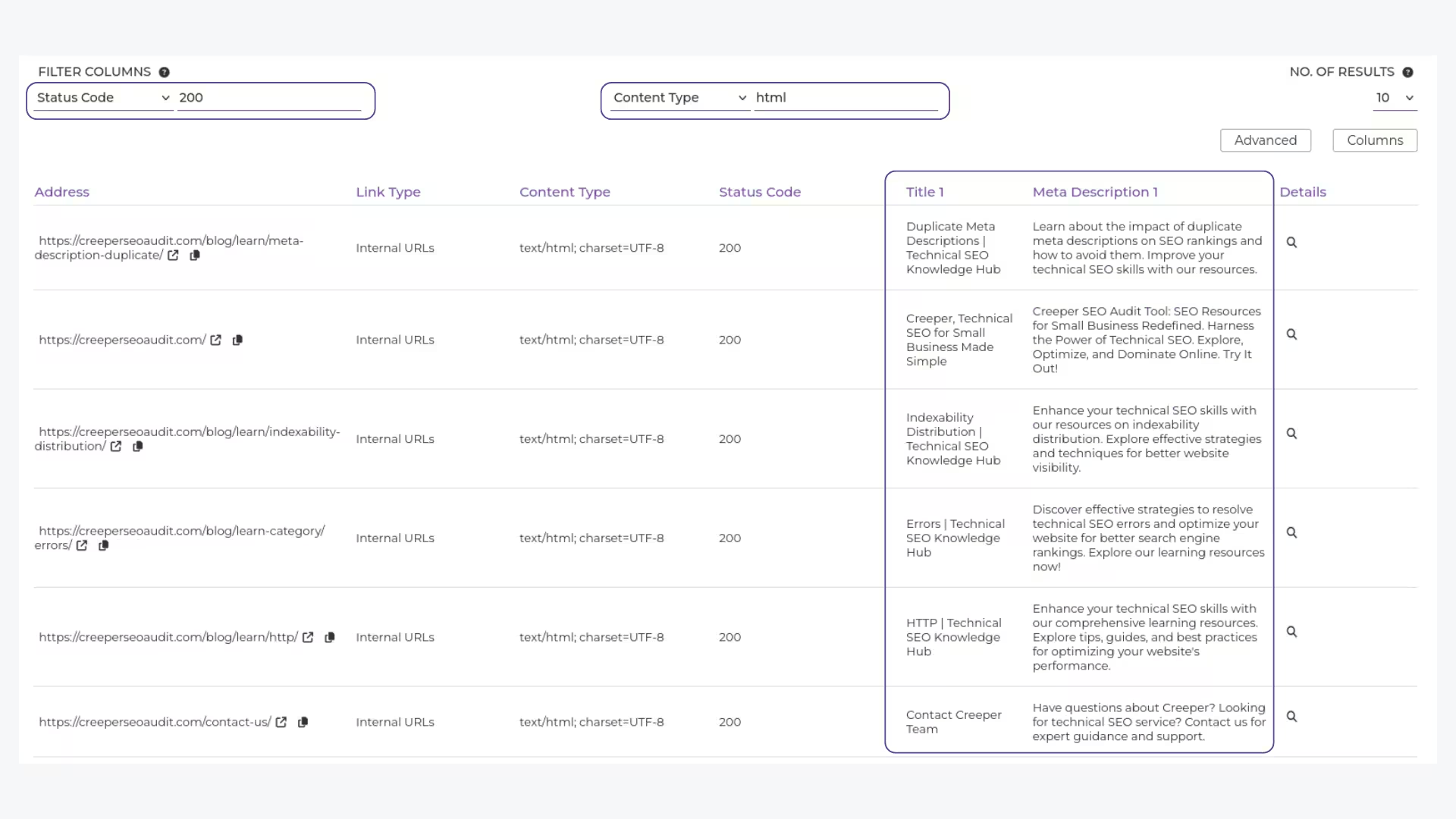
Spot meta titles and descriptions that are too short, too long, or duplicated, so you can boost your rankings and make your content more clickable.
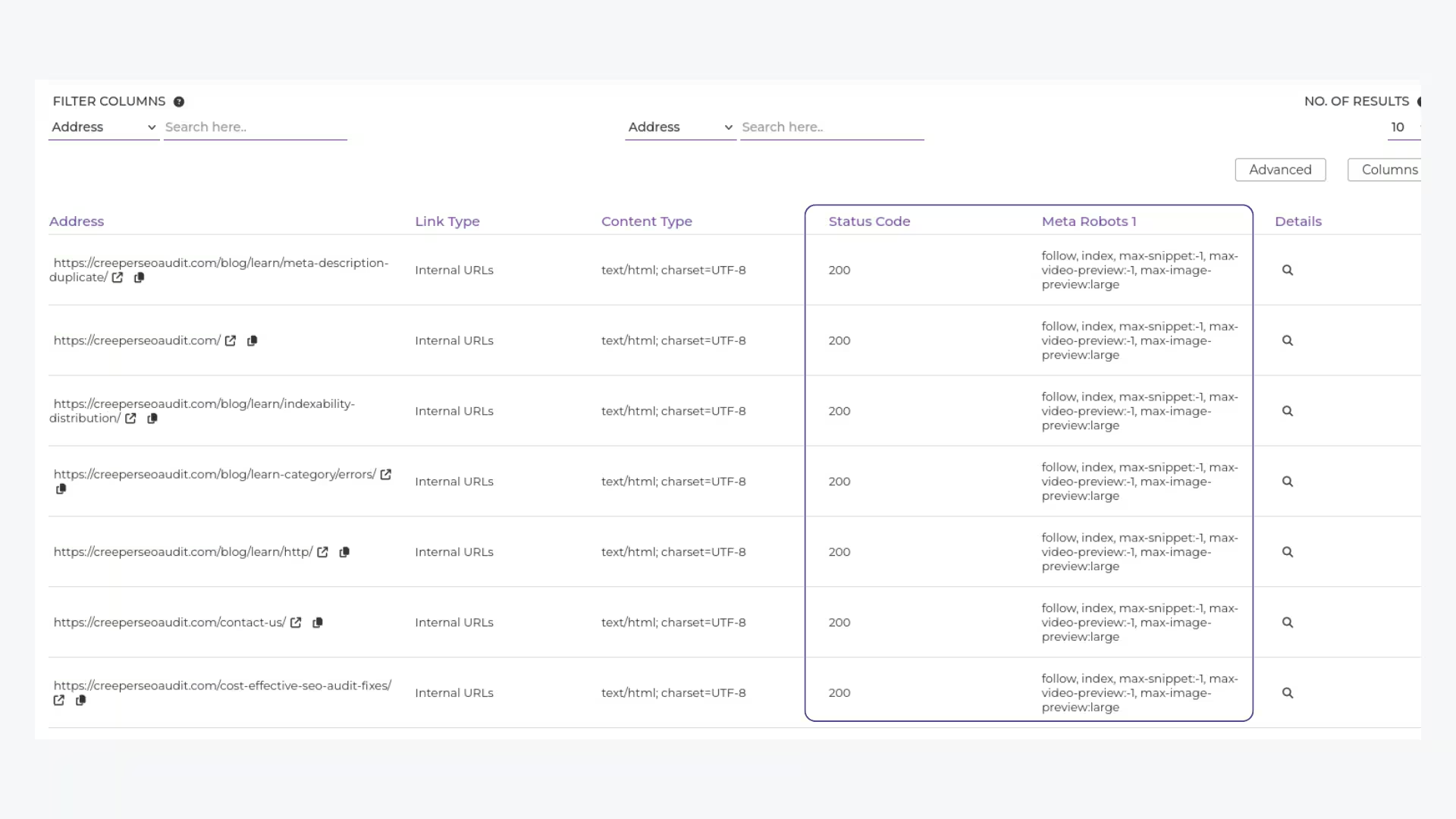
Ensures your important pages are being indexed and shown to the world.
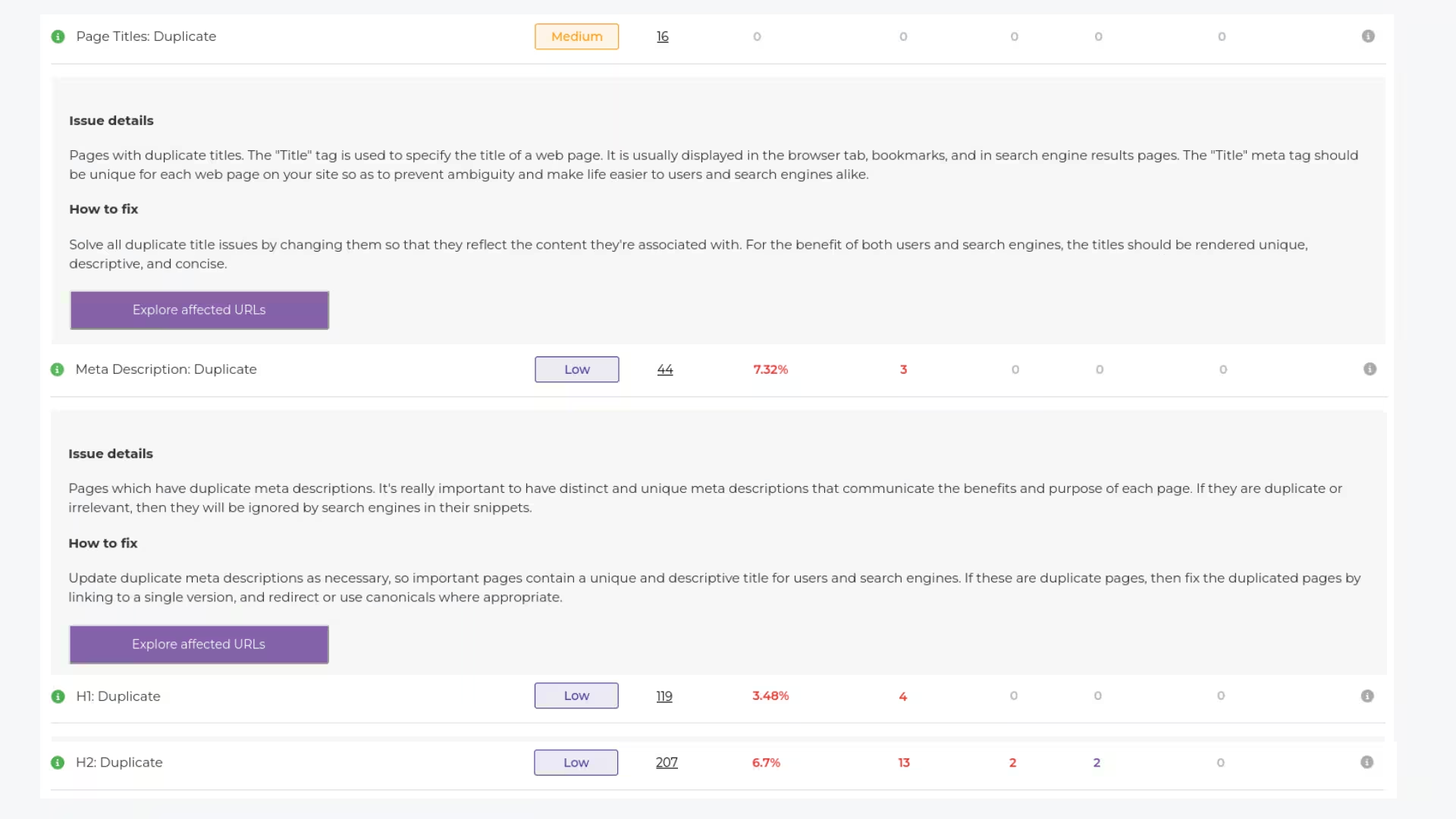
Find and fix duplicate content that could lead to penalties from search engines.
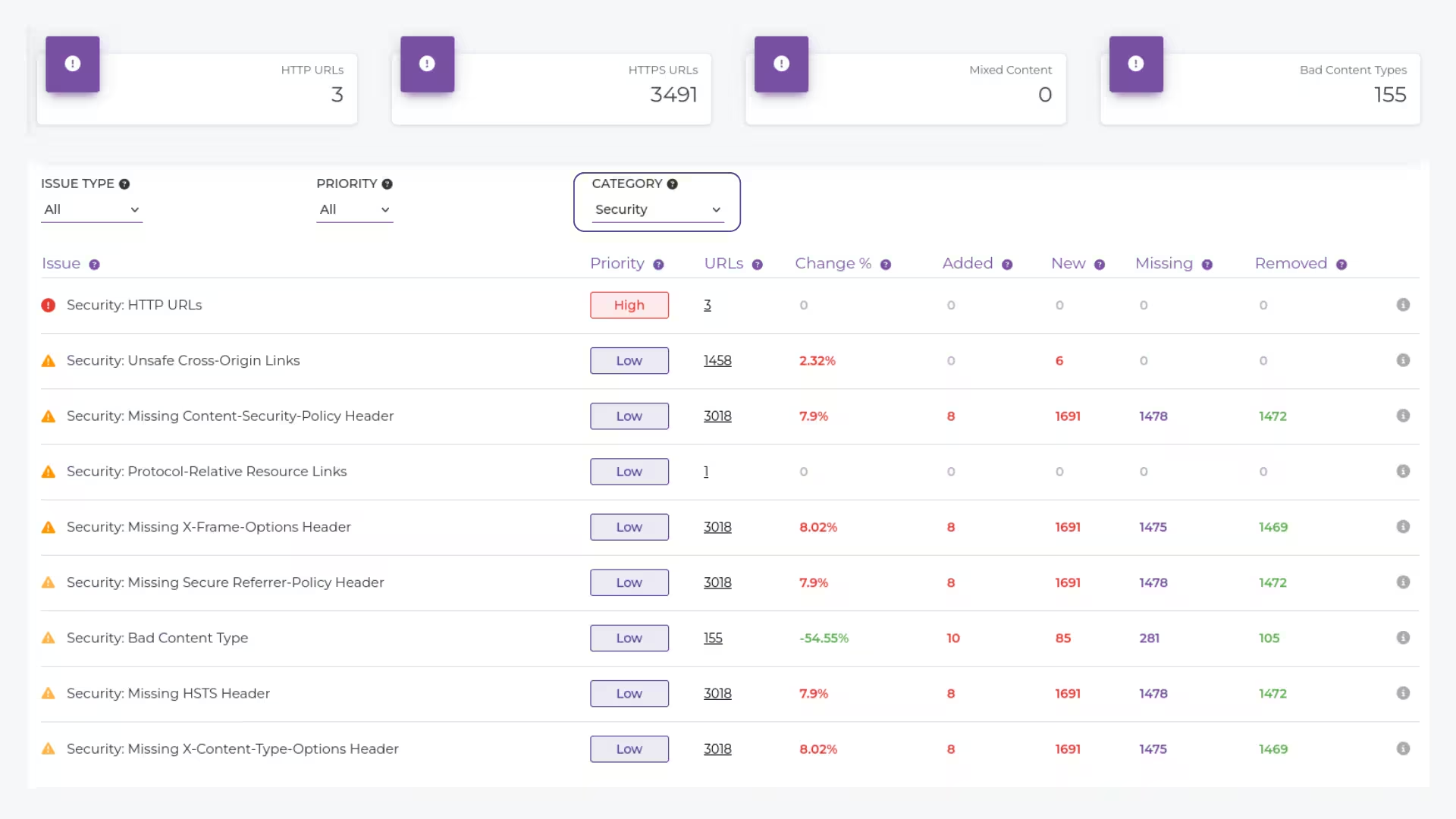
Spot missing or misconfigured security headers that could leave your site vulnerable to attacks and affect user trust.
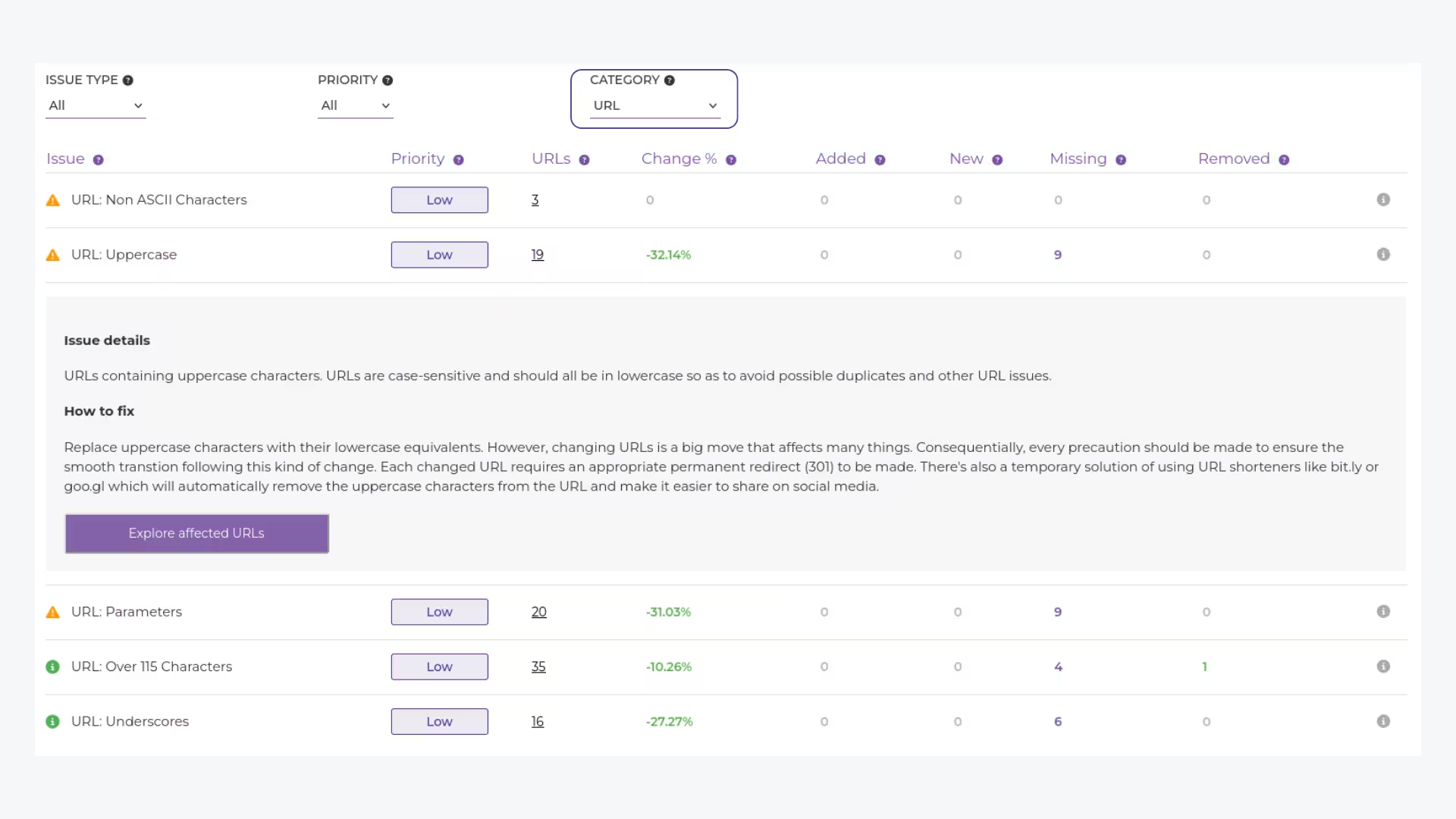
Ensure your URLs are clean, concise, and keyword-optimized for better rankings and user experience.
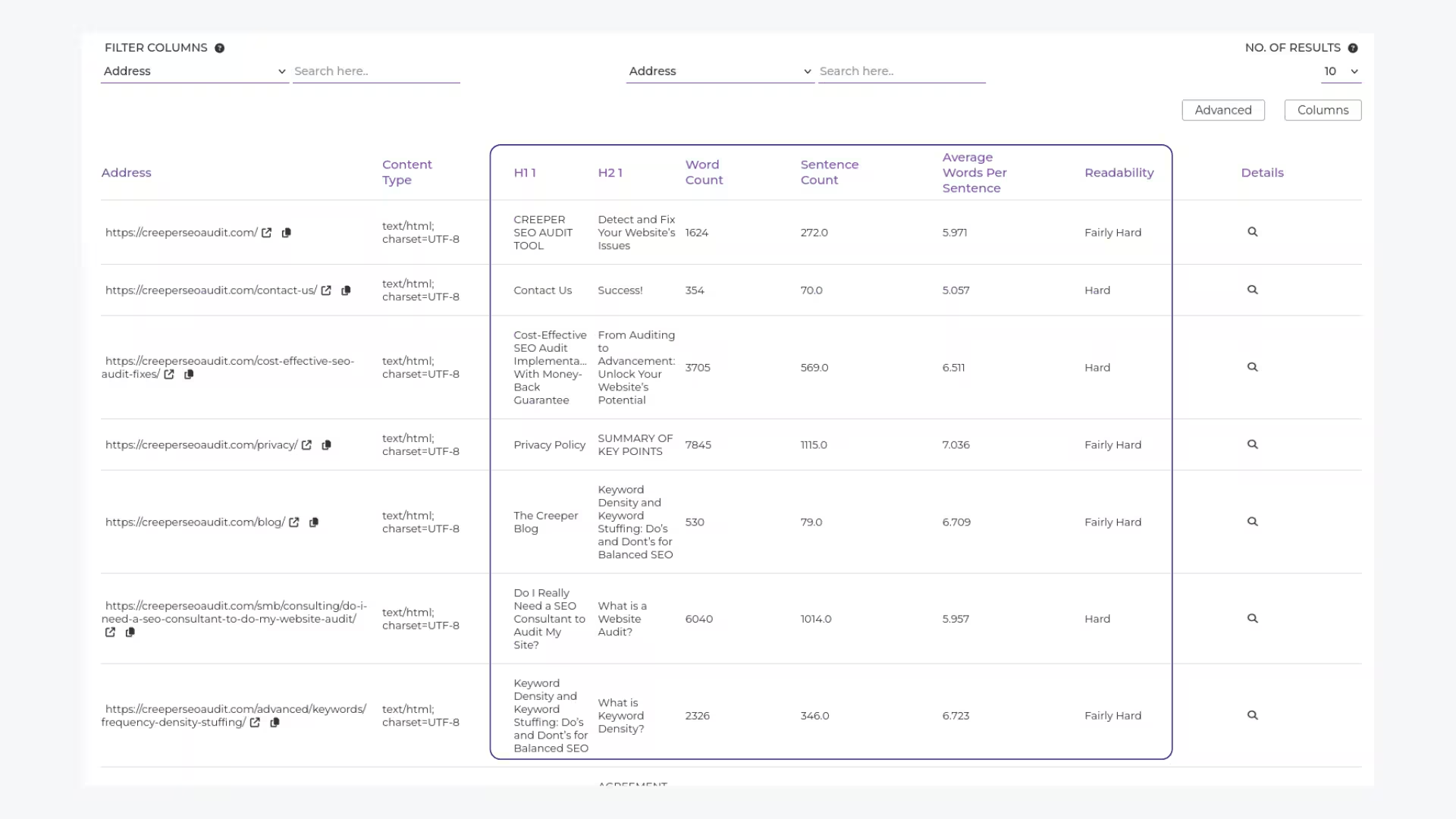
Review key elements like headings, content hierarchy, and layout to ensure your pages are SEO-friendly and easy to navigate.
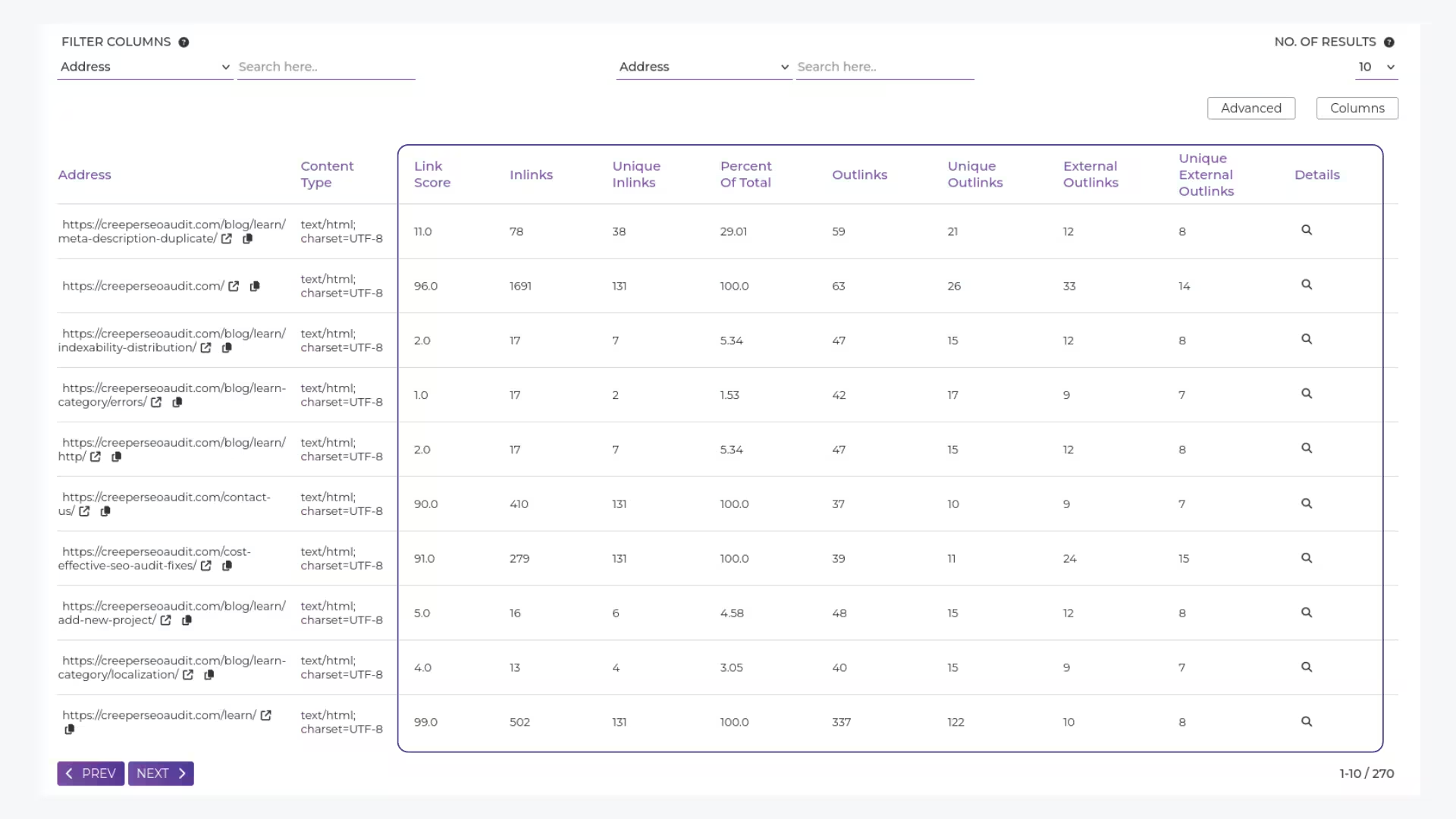
Analyze your link distribution to ensure proper flow of link equity and avoid broken or outdated links that hurt your site.
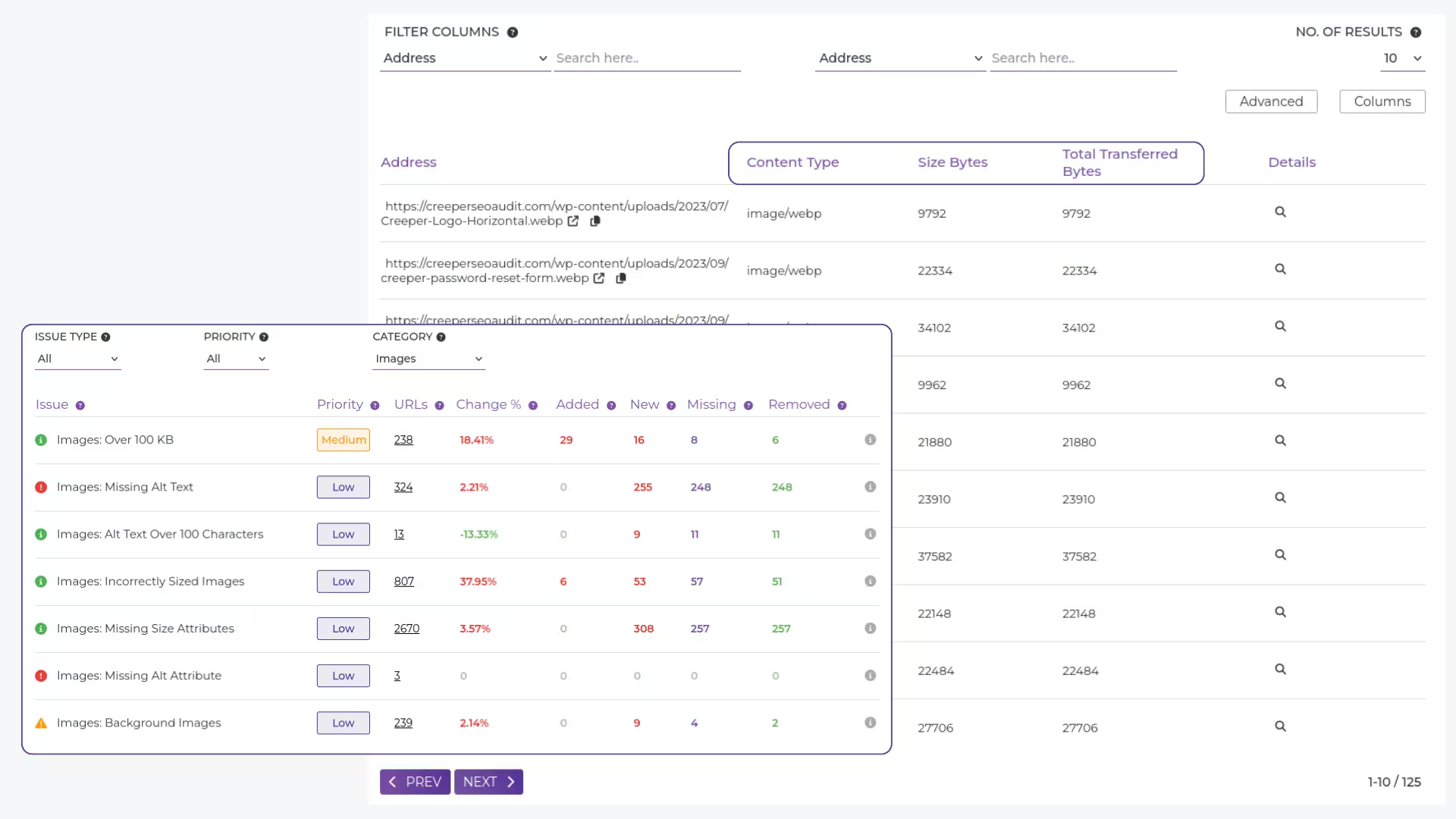
Identify oversized images and missing alt text to improve site speed and accessibility for both users and search engines.
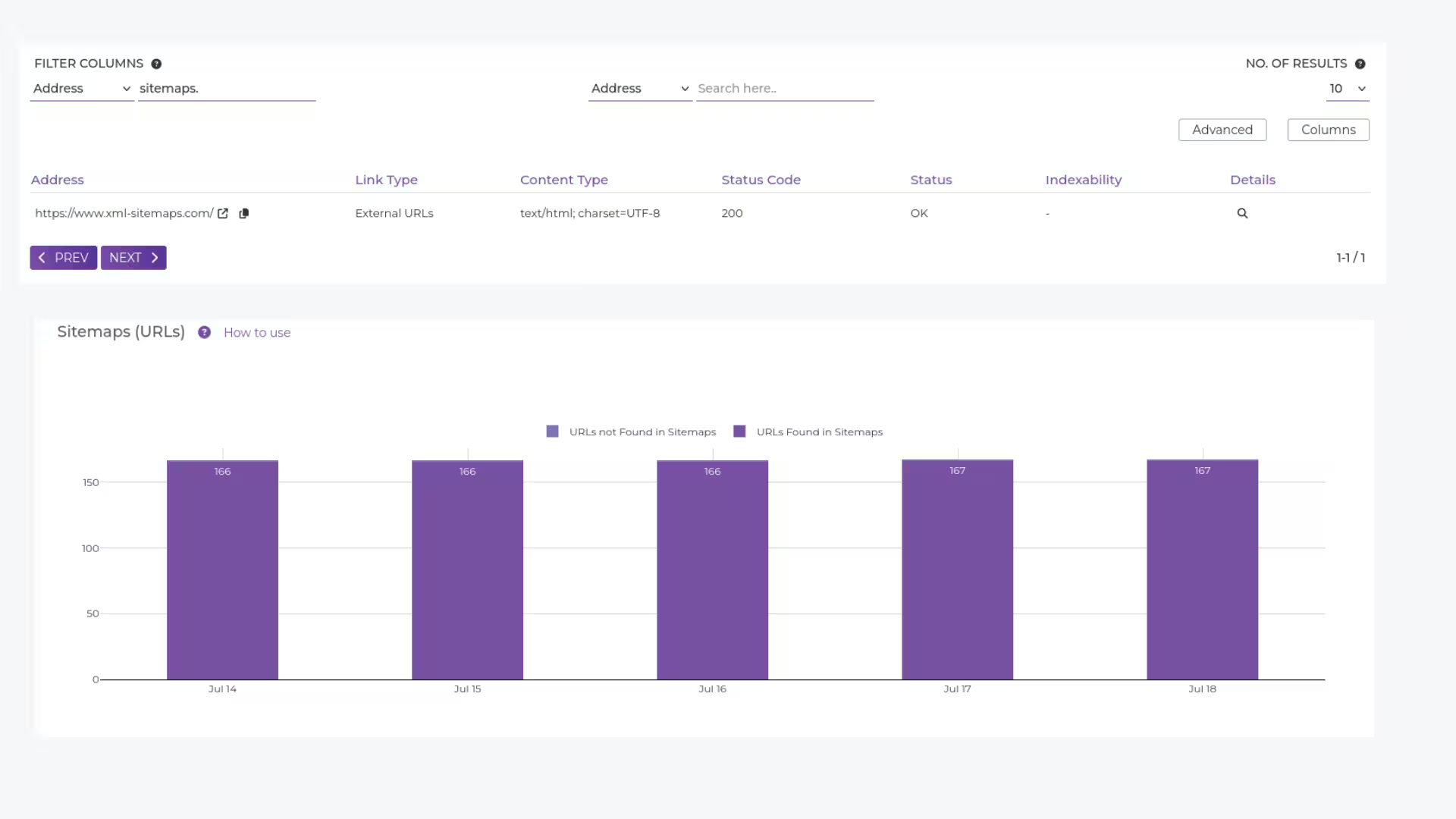
Check for well-structured sitemaps that guide search engines through your site, ensuring no important pages are missed during indexing.
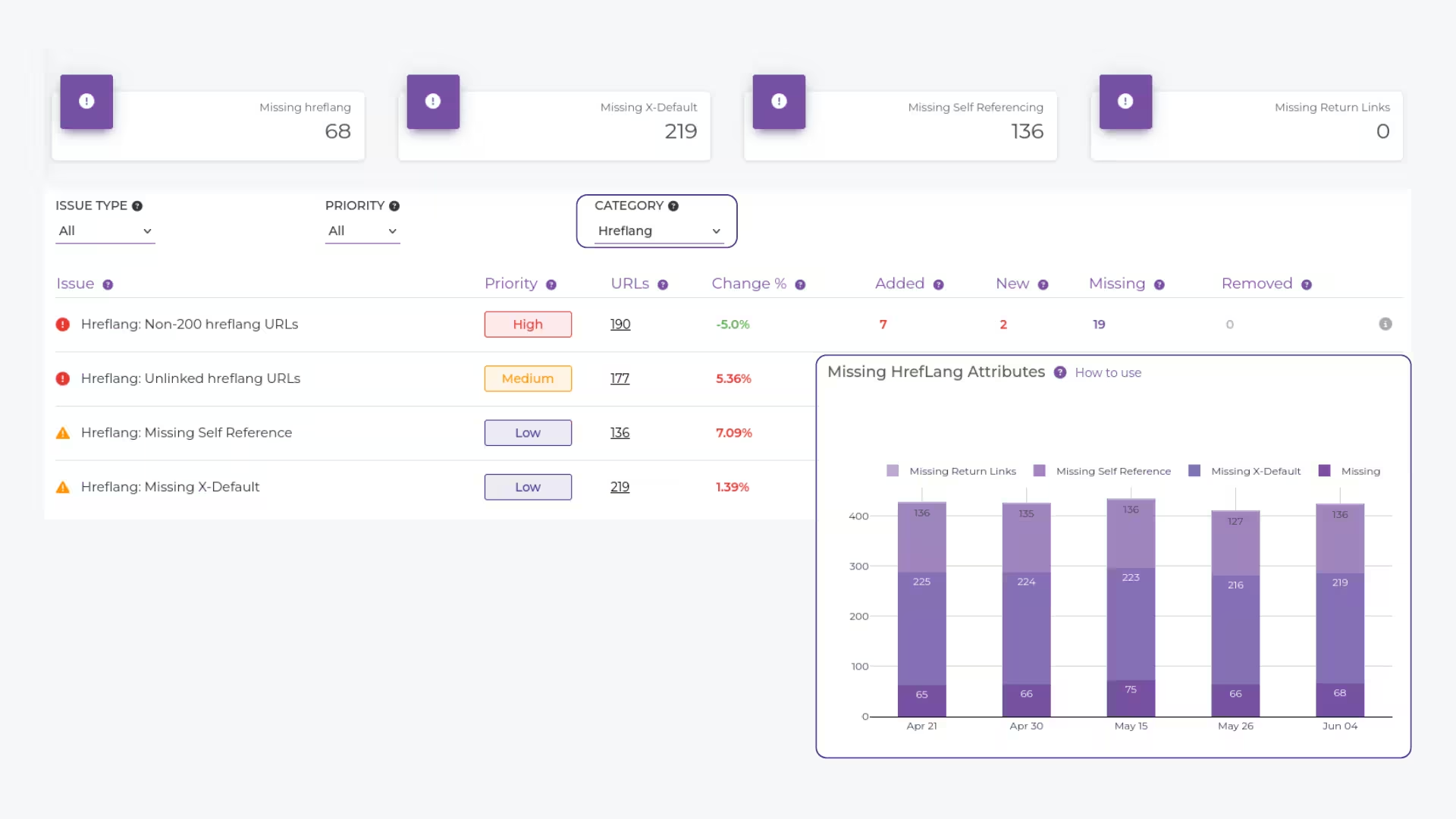
Validate hreflang tags to ensure the correct language and regional URLs are being served to international audiences for better global SEO performance.

Name your project, drop in your URL, hit “Add Project.”

Our crawler scans top to bottom—minutes to a full report.

Get an in-depth, user-friendly report. Schedule regular audits for hands-free monitoring.
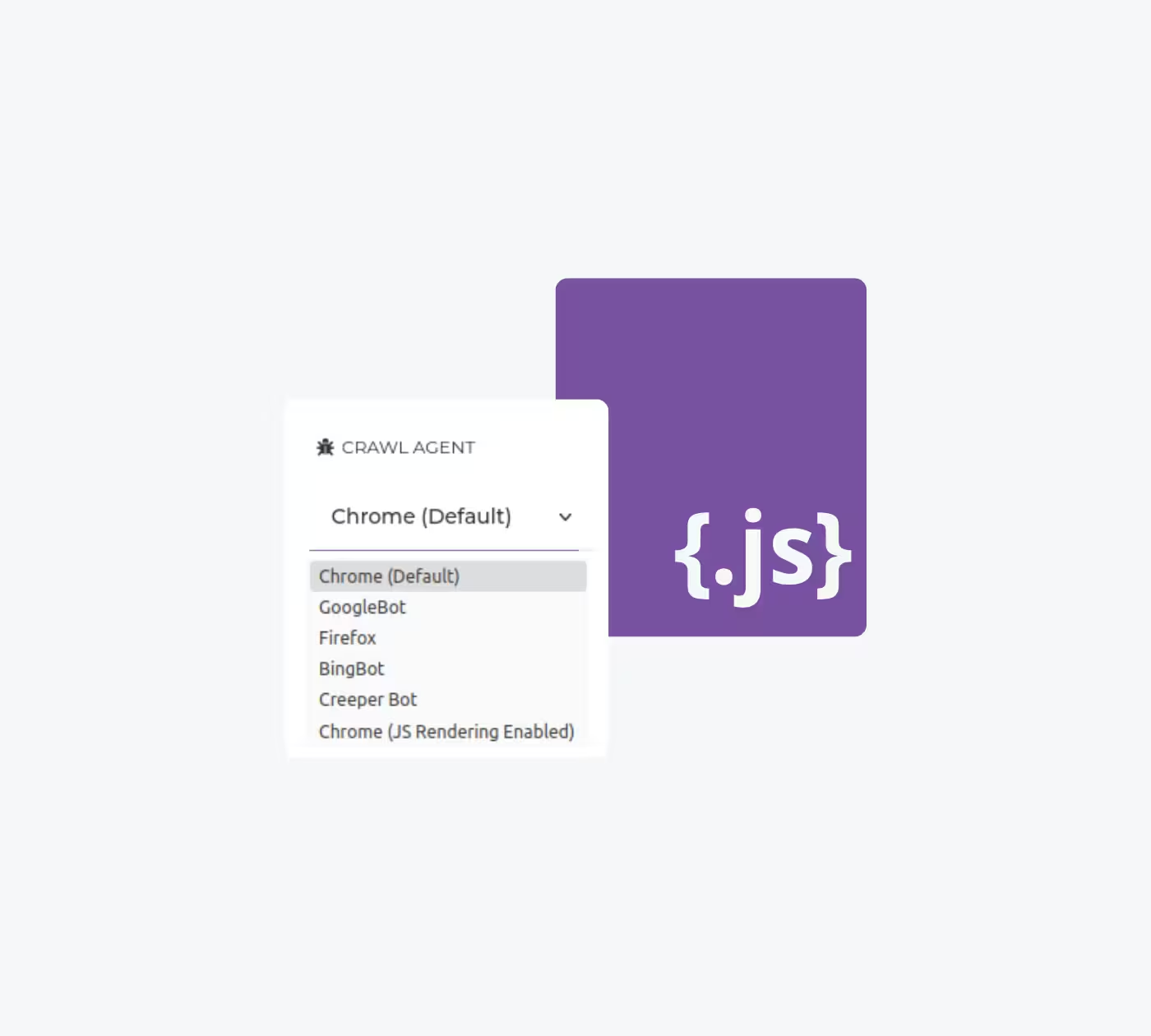
Customize your audits by simulating how different search engines crawl your site, including JavaScript-enabled SEO audits, so you can focus on optimizing for the platforms that matter most to your audience.
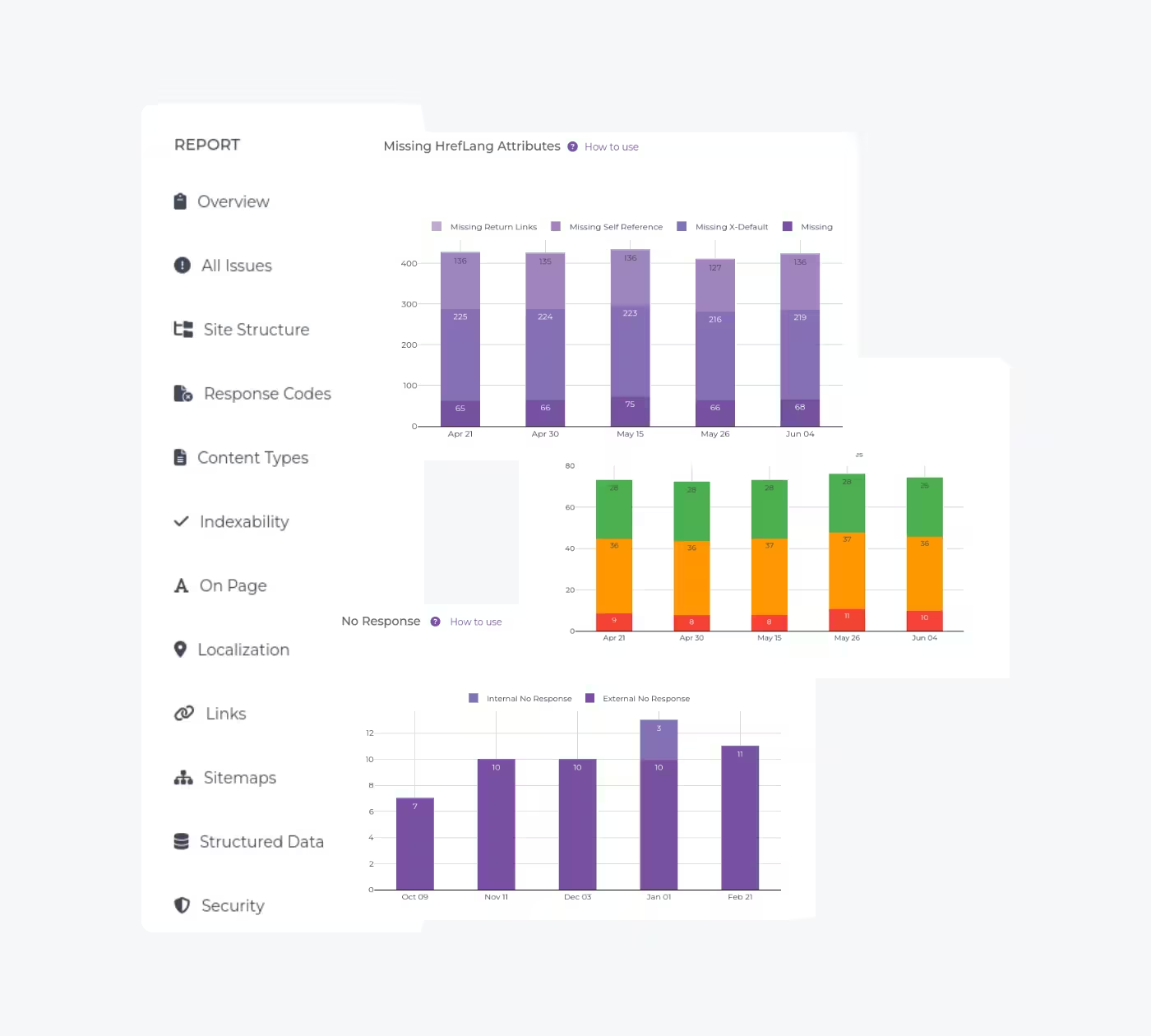
Get access to 15+ predefined reports covering on-page SEO, crawlability, indexability, and more. These reports provide a comprehensive overview of each technical SEO aspect in minutes, empowering you to make informed, data-driven decisions for your SEO strategy.
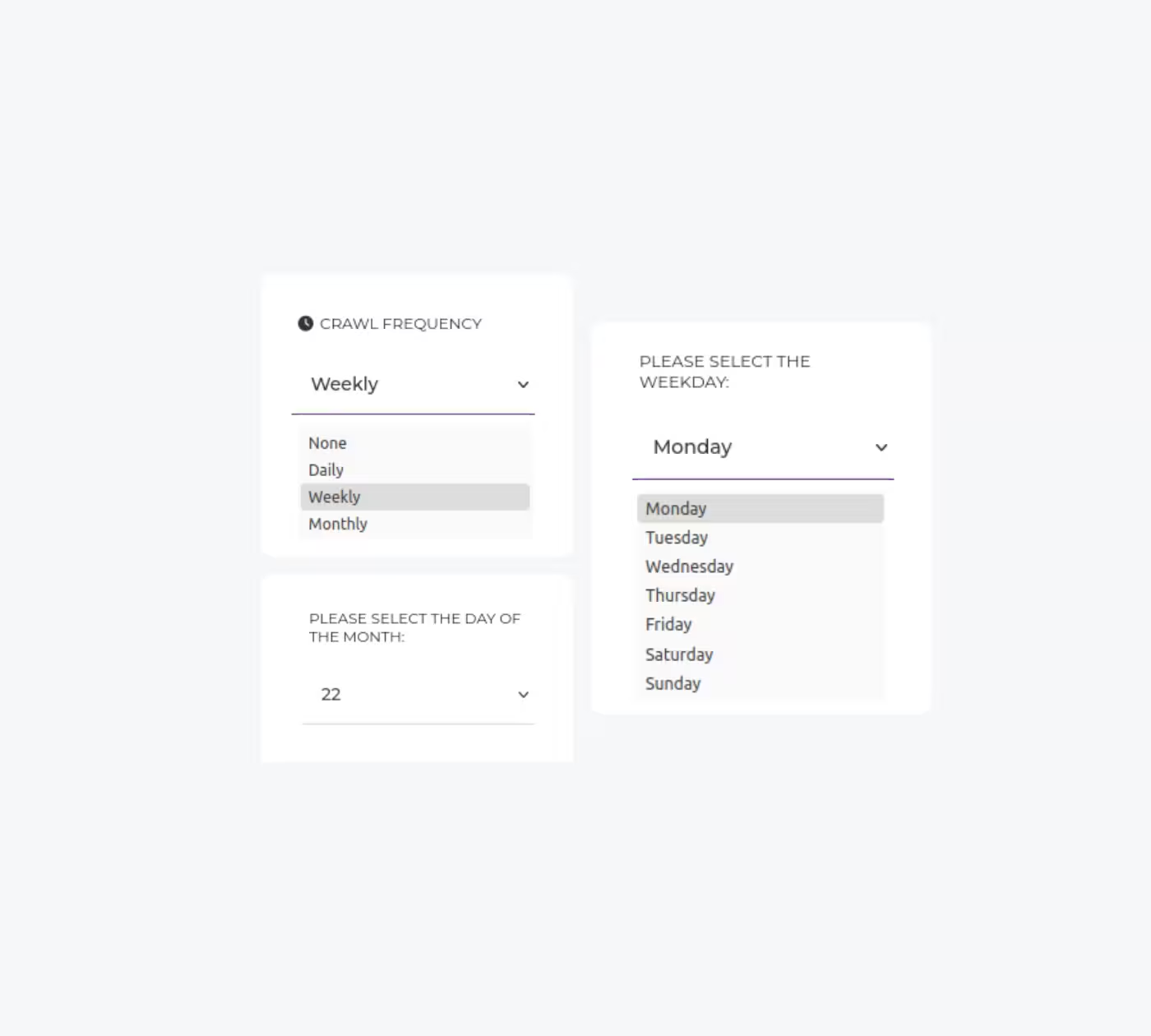
Set up automated audits on a daily, weekly, or monthly basis. After each crawl, we’ll send an email summary of your SEO audit straight to your inbox, helping you track your site’s health and technical issues effortlessly.
Start your free Creeper SEO Audit today—no credit card required.
For newcomers and learners
Per month
For solopreneurs and small teams
Per month
For small and medium sized businesses
Get answers to common questions about our SEO Audit tool.
We scan every page of your site for 300+ SEO issues, from broken links and duplicate content to indexability, crawlability, on-page structure, security headers, hreflang tags, schema markup, and more—then give you clear, prioritized instructions on how to fix each one.
Pinpoint pages with broken links, redirects, duplicate content, crawl problems, etc., grouped by type and priority. Links Explorer: Dive into internal/external link health across 40+ dimensions. Structured Data Validation, URL Structure, Security Headers, Image Attributes, and more—15+ detailed reports in all, each downloadable or exportable.
Yes—our Crawl Comparison & History feature shows you side-by-side audit results from different dates, so you can see exactly which fixes improved your score and when.
This feature lets you compare audit results from different dates side by side. See which issues you’ve fixed, track improvements in your SEO health score, and validate the impact of your optimizations.
Every report and data table can be exported in CSV or Excel format. Use the export buttons in the Issues Explorer, Links Explorer, and predefined report views to download granular data for your records or team.
Yes. In Customize Crawl Agents, choose from various bot profiles (Googlebot, Bingbot, mobile vs. desktop, JavaScript-enabled crawlers) to understand how different engines see your site.
Enter your website URL (and give your project a name). Click “Add Project” to run the audit. In minutes, you’ll have a user-friendly report highlighting every technical issue—and you can even schedule automatic daily, weekly, or monthly audits.
Not at all. Whether you’re new to “What does SEO even stand for?” or a seasoned pro, our tool translates technical findings into simple, step-by-step guidance—no jargon required.
Absolutely. You can set audits to run daily, weekly, or monthly. After each scan, you’ll receive an email summary highlighting new and fixed issues to track your SEO progress over time.
Your site’s health score (0–100) aggregates all detected issues by severity and priority. A higher score means fewer critical errors. Drill down into individual issue categories to see exactly what’s impacting your ranking potential.
Alongside our tool’s instructions, you can connect with our team of technical SEO specialists for personalized guidance. Contact support via the “Help” section for in-depth assistance.
Sign up for free today, and let’s get your website performing at its best.
Have questions about our services? Contact us today for a free consultation and performance audit.
By filling out this form, you agree to our Privacy Policy.