In the world of web design, external CSS is the secret sauce that makes your website look great. It’s a separate file that contains all the styling rules for your website, from colors and fonts to layout and spacing. By separating your content (HTML) from your presentation (CSS), you can create a more efficient, maintainable, and SEO-friendly website. This guide will explore the power of external CSS and why it’s the preferred method for styling modern websites.
Think of your HTML as the blueprint for your house, and your external CSS as the interior design plan. The blueprint defines the structure, while the design plan defines the look and feel. By keeping these two things separate, you can easily change the look of your house without having to rebuild it from scratch. The same is true for your website. For a deeper dive into the building blocks of your site, see our article on site structure. You can also learn about internal CSS and browse the full list of External Pages category pages.
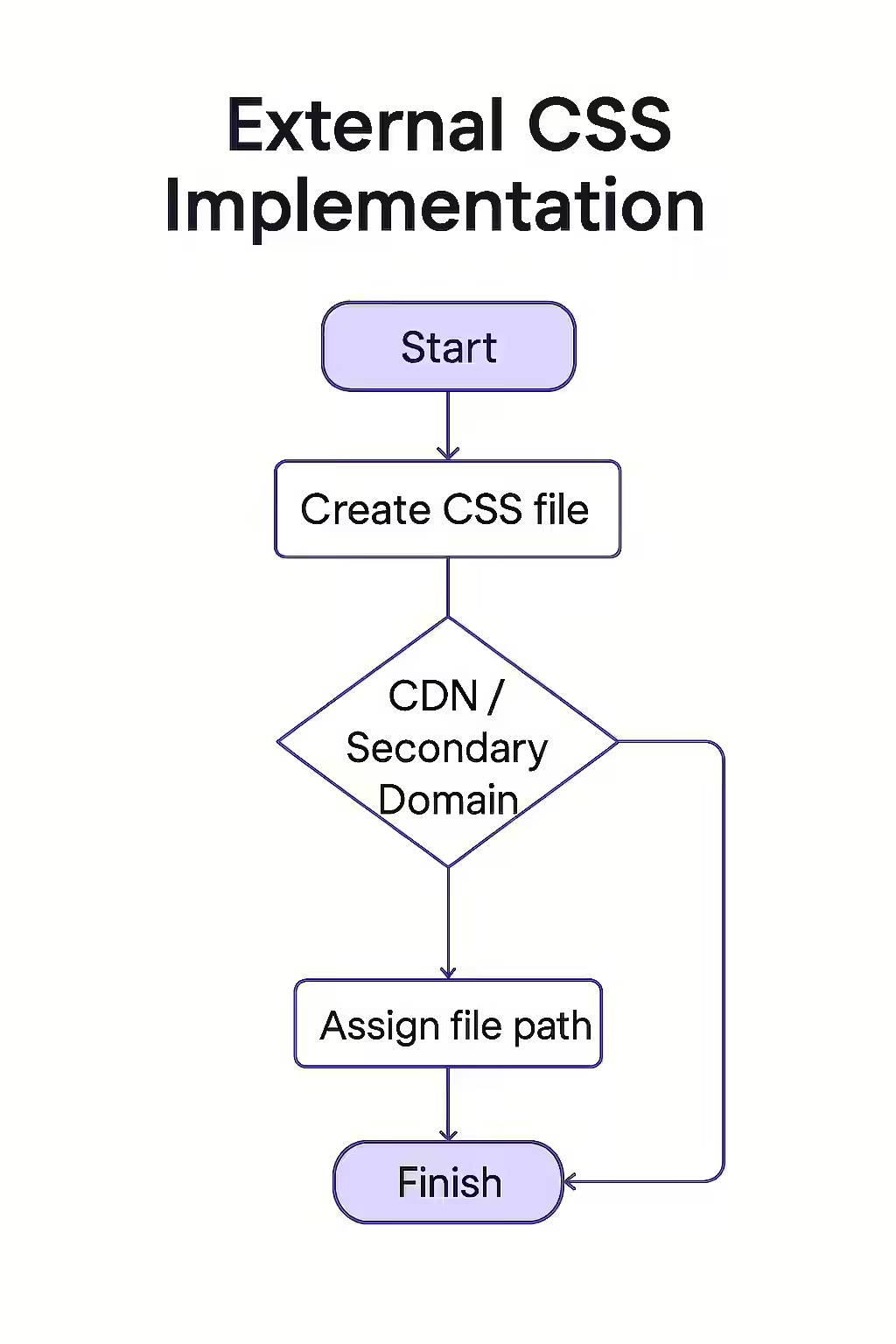
Your Guide to a More Stylish and SEO-Friendly Website
Using external CSS is a best practice for modern web development. Here are some of the key benefits:
- Improved Page Load Speed: When you use external CSS, the browser can cache the stylesheet. This means that on subsequent page loads, the browser doesn’t have to download the CSS file again, which can significantly improve your page load speed.
- Easier Maintenance: By keeping all your styles in one place, you can easily make site-wide changes without having to edit every single page.
- Cleaner Code: Separating your content from your presentation makes your HTML code cleaner and easier to read. This is a major benefit for both developers and search engines.
- Better SEO: A faster, more efficient website is a more SEO-friendly website. By using external CSS, you can improve your page load speed and make it easier for search engines to crawl and understand your site.
The SEO Power of a Well-Styled Website
A well-styled website is more than just a pretty face. It’s a sign of a well-structured and user-friendly website, which are both important factors for SEO. By using external CSS, you can create a more efficient and effective website that will be rewarded by both users and search engines. For more on the importance of a positive user experience, check out this guide to page experience from Google.
Don’t let messy code and slow page load times hold your website back. By embracing the power of external CSS, you can create a more beautiful, efficient, and successful website. For more on how to create a winning on-page strategy, see our article on on-page SEO. For a comprehensive guide to CSS, check out the MDN Web Docs.
Frequently Asked Questions
What is the difference between external, internal, and inline CSS?
External CSS is a separate file that is linked to from your HTML. Internal CSS is placed in the section of your HTML file. Inline CSS is applied directly to individual HTML elements. External CSS is the preferred method for most websites.
Why is external CSS better for SEO?
External CSS is better for SEO because it separates your content from your presentation. This makes your HTML code cleaner and easier for search engines to crawl and understand. It also improves page load speed, as the CSS file can be cached by the browser.
How do I link to an external CSS file?
You can link to an external CSS file by adding a tag to the section of your HTML file. The href attribute of the tag should point to the location of your CSS file.
Ready to give your website a makeover? Start your Creeper audit today and see how you can improve your site’s style and performance.